Introdução
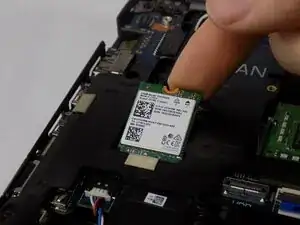
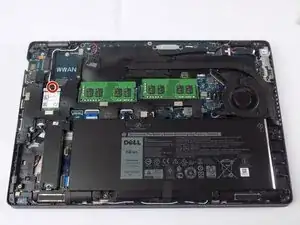
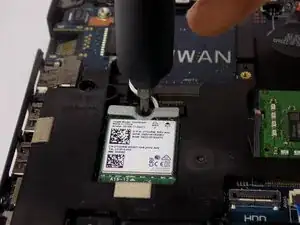
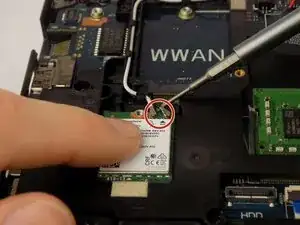
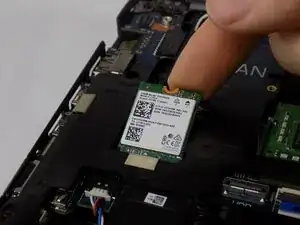
This guide will instruct you on how to replace the Wi-Fi card in the Dell Latitude 5400 laptop (model P92G). The Wi-Fi card provides wireless networking and bluetooth, and if its not functioning, you may experience symptoms like missing Wi-Fi options in your connectivity settings, weak or slow signals, or frequent disconnection from your network. If any of these issues are affecting your work, please review the Wireless Connectivity section of our troubleshooting page before beginning this repair.
Any time you are completing a revision that involves opening the laptop use the procedure to disconnect the battery first, and follow anti-static procedures while using ESD-safe tools to protect the internal components. If the internal battery looks like it is swollen, please stop and follow proper safety procedures. For further information regarding handling and disposal, please refer to Dell or local electronics-recycling practices.
Ferramentas


-
-
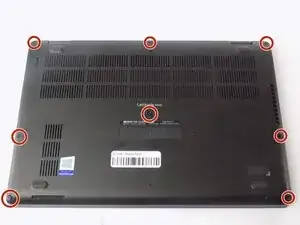
Loosen the eight captive screws that secure the lower case using a Phillips #1 screwdriver.
-
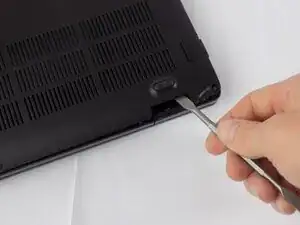
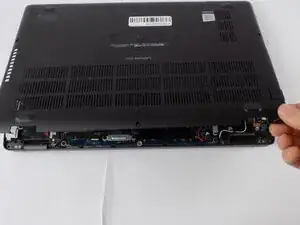
Use a spudger to pry the back panel away from the laptop.
-
To reassemble your device, follow these instructions in reverse order.