Introdução
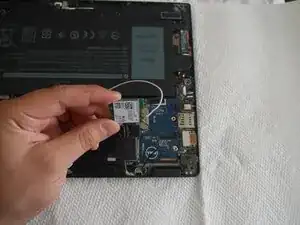
If the WLAN card in your Dell Latitude 5289 2-in-1 is not functioning properly anymore, this guide will show you how to replace it.
Before beginning this repair, make sure to turn off the laptop, undock it if it is connected to a docking device, unplug all cables from the laptop, open the display and press and hold the power button for a few seconds to ground the system board, remove any installed ExpressCards or Smart cards, and remove the MicroSD from the laptop.
Ferramentas

-
-
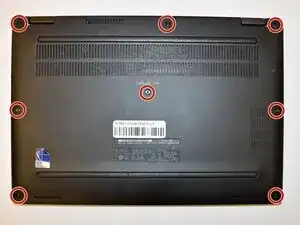
Loosen the eight 5 mm captive screws in the base cover using a Phillips #00 screwdriver.
-
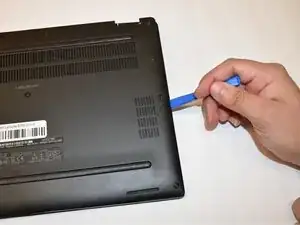
Gently pry the base cover with an opening tool starting from the hinges at the top edge.
-
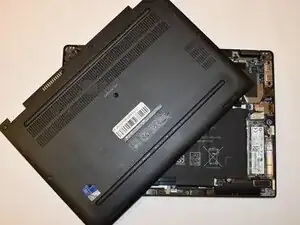
Lift the cover off of the laptop.
-
-
-
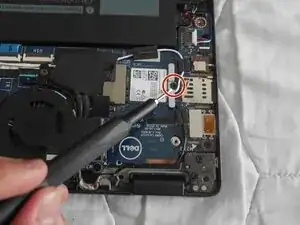
Remove the single 3 mm screw that secures the metal bracket to the WLAN card.
-
Lift the bracket away.
-
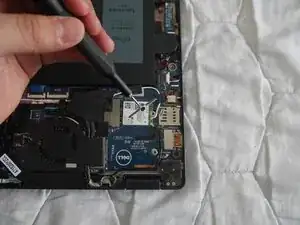
Disconnect the WLAN cables from the connectors on the WLAN card.
-
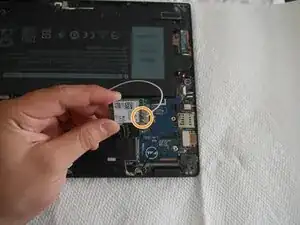
Pull the WLAN card away from the slot.
-
To reassemble your device, follow these instructions in reverse order.
