Introdução
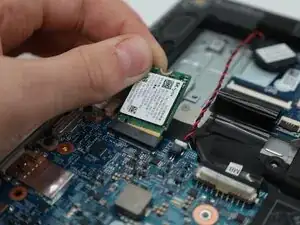
Whether you need to upgrade your storage, or replace a damaged hard drive, this guide will show you all steps needed to swap out the M.2 Solid State Drive in your system.
The Dell Latitude 3310 supports both 2230 and 2280 size M.2 drives.
It's important to understand that removing the hard drive will remove ALL data from your system. Back up any important files before proceeding!
Ferramentas


Peças

-
-
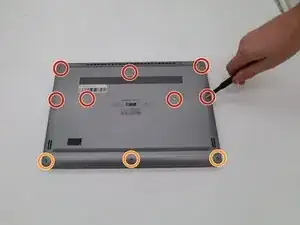
Remove seven 8.0 mm screws using a Phillips #1 screwdriver.
-
Remove three 5.0 mm screws using a Phillips #1 screwdriver.
-
-
-
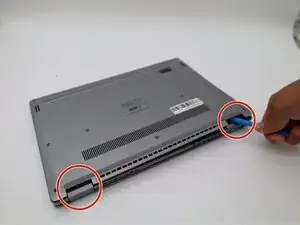
Using the iFixit opening tool, gently pry between the body of the laptop and the bottom cover. Make your way around the laptop carefully releasing all plastic clips.
-
The screen hinges are an ideal spot to begin prying.
-
-
-
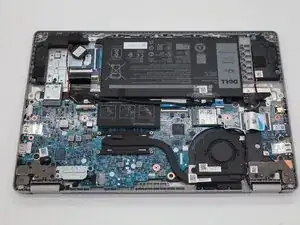
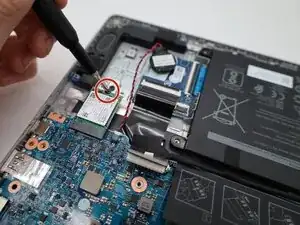
Using a Phillips #1 screwdriver remove the 3.5 mm screw securing the drive to the board.
-
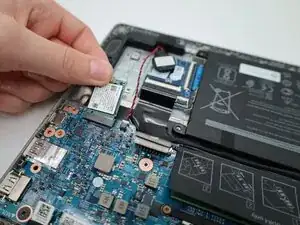
Gently pull the drive out of the slot.
-
To reassemble your device, follow these instructions in reverse order.