Introdução

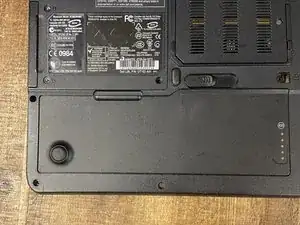
Power off the computer before starting.

  1. RW5DTtSXbrcCSwMI
    RW5DTtSXbrcCSwMI
    CsKPJwSStyPPGcTL
    AMZjwf4gOQP2YAPB
    • Shut down your computer to avoid data loss.

    • Shut the lid and flip computer upside-down.

    • Disconnect charger. (If applicable)

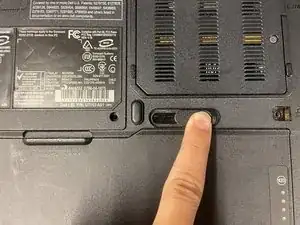
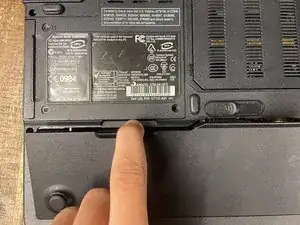
    • Slide the battery eject lever and remove battery.

  2. piaPRuVjERtPn3su
    piaPRuVjERtPn3su
    bAYqEXIo4AyJBBI1
    ALokfZNM2vd6FETl
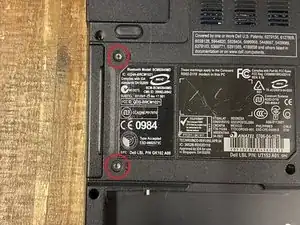
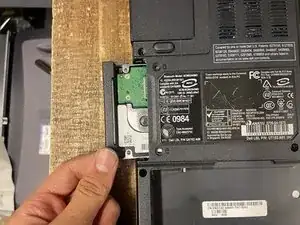
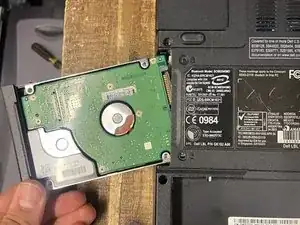
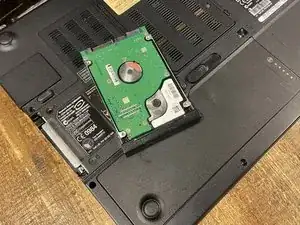
    • Remove the two screws holding the drive to the bottom panel.

    • Slide the hard drive out of the laptop.

    • The hard drive is fragile, please handle it with care.

  3. Id2J3GYN3RWjjEJo
    Id2J3GYN3RWjjEJo
    eexQyLdTVIdVx1OU
    VOCu4jdnYDGPlXQc
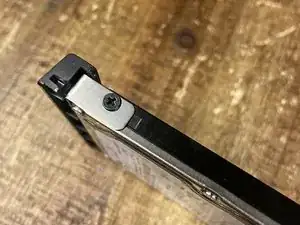
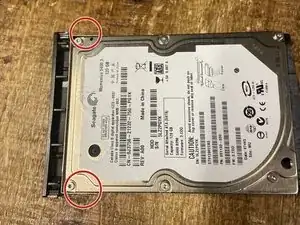
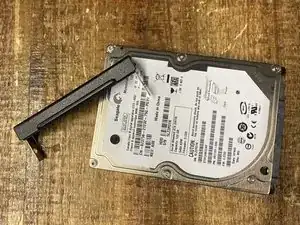
    • Remove screws from the cosmetic bracket.

    • Attach bracket to new hard drive. (if applicable)

Conclusão

To reassemble your device, follow these instructions in reverse order.

tmg86

Membro desde: 10/03/22

654 Reputação

0 comentários