Introdução

This guide will tell you step-by-step how to replace the webcam in the Dell Chromebook 3100 2-in-1.

Before beginning, make sure to power off your phone completely and disconnect from any external power source.

  1. V4ryyIuyLvIZgjNp
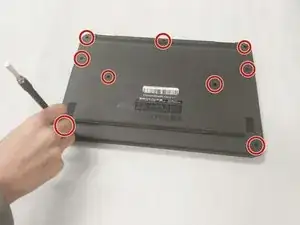
    • Using a Phillips screw driver (PH1) remove the 9 (M2.5x4) screws holding the back cover

  2. 2ACgOKvgiwALERog
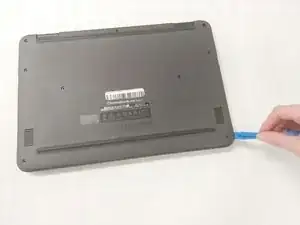
    • Using a jimmy and remove the plastic covering to reveal internal hardware.

  3. dJZwFxJRjYOiUDPj
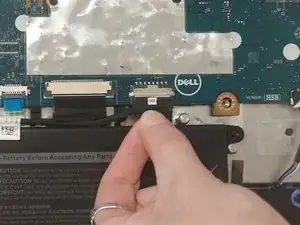
    • Unplug the battery from the motherboard by pulling gently.

  4. 6OMHEkZ3E1keMOqG
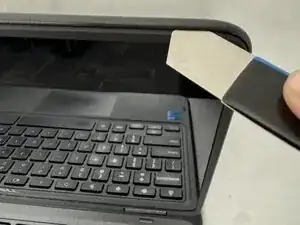
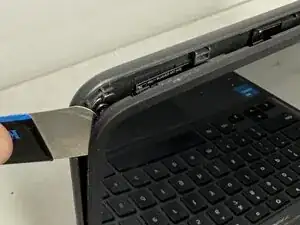
    • Open the clamshell and insert an opening tool between the clamshell and the screen bezel

  5. TqvbYrvtOmNfHuff
    • Carefully work the opening tool around the display, avoiding inserting the tool too far, which could damage the Wi-Fi cables.

  6. EMoB5iMVvjigSWo4
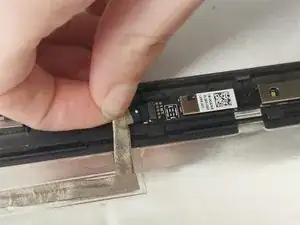
    • Unplug the webcam by gently pulling on the cable shown.

  7. VLKXuYpPq4BOr1tB
    VLKXuYpPq4BOr1tB
    nELfjSMNqbdT5IWD
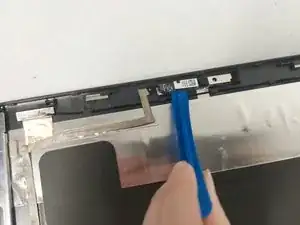
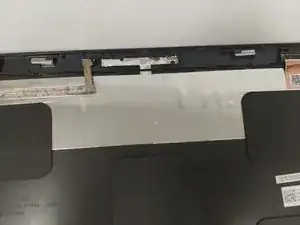
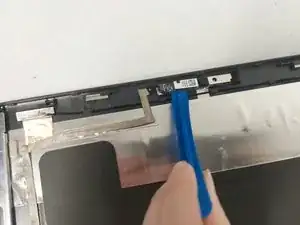
    • Use a jimmy to pry up the webcam, which is to then be removed.

Conclusão

To reassemble your device, follow these instructions in reverse order.

ot moya

Membro desde: 09/11/23

481 Reputação

0 comentários