Introdução

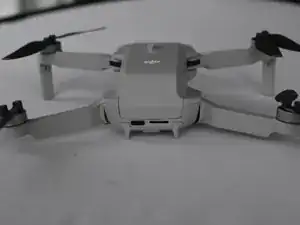
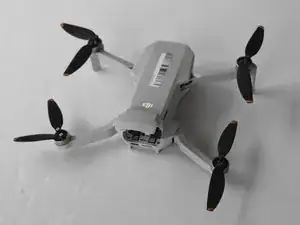
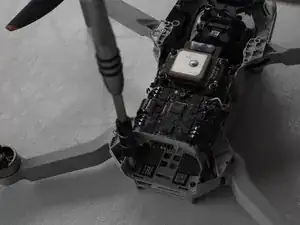
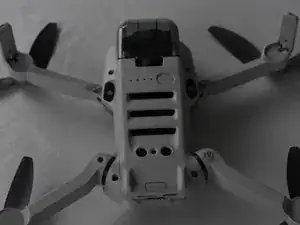
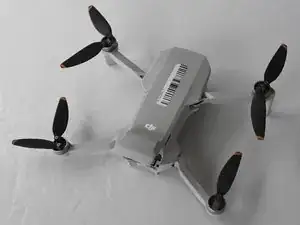
We are defining the DJI Mini 2 drone body as the top and bottom plastic panels of the drone. These panels are the blockaded between the insides of the drone and the outside world.

The drone body stores the inner electronic parts of the drone like the GPS, the Main Board, and the wires the drone uses. Damage to the drone body can cause the drone to be unstable in flight. If the body of the drone is damaged they will need to be replaced.

  1. OlIZwIPY2ye5fSbS
    OlIZwIPY2ye5fSbS
    lDMamJNH2CmcXDqd
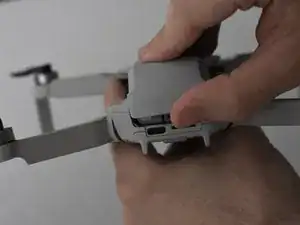
    • Face the DJI Mini 2 away from you so that you are looking at the charging ports.

    • Use your finger to open up the back panel.

  2. 1pNtTomXrvTtSALB
    1pNtTomXrvTtSALB
    lUbPH2u6OpgHJxds
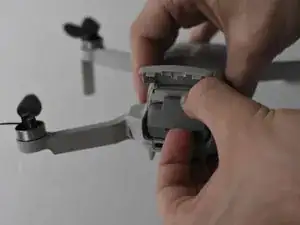
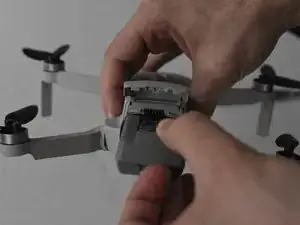
    • Pinch the locking mechanism on the battery to release the lock.

    • Pull the battery straight out of the compartment.

    Honestly, did we need an ifixit tutorial on THIS?!

    Next up, how to insert the battery.

    Big Ed -

    @big_ed Perhaps author wanted to make sure no electric issues to occur @people who are not aware of possible damages whilst having battery still inside.. Next up, a smart remark?

    Ruud -

    Merci 🔥 pour le tuto j'avais oublié comment on fait

    Layoness Record -

    Merci à vous pour ce bref mais incontournable tutoriel permettant l'accès à la batterie !

    Albert Brian Frank -

    Dieses Tutorial kann nicht ernst gemeint sein - oder doch?!

    thomas01 -

    Better explain to take really good care to make sure the battery is LOCKED when placing it into the drone. And even with the battery trap shut, I've had two crashes (from 50m high) where the battery was smashed out of the drone when it hit the ground ; problem ? No relocation possible, searched for hours.
    Nowadays I have a velcro strip even over the the battery door to make sure this never happens again. The DJI lock is too weak...

    Erwin van Dijk -

  3. laTuKhxgCusJG2wU
    laTuKhxgCusJG2wU
    5HbKW32WPNt5si2f
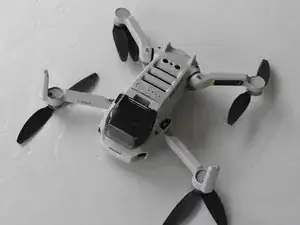
    • Unfold the wings of the drone.

    • Place the drone upside down on a flat surface.

    • There should be stickers on the device telling you how to unfold the propeller arms.

  4. rB21Rh3WTVLj3PxQ
    rB21Rh3WTVLj3PxQ
    G65ZWTW2PZ1LI2Lv
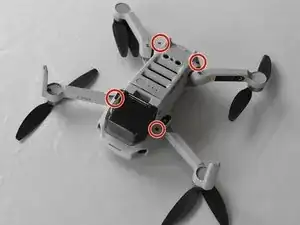
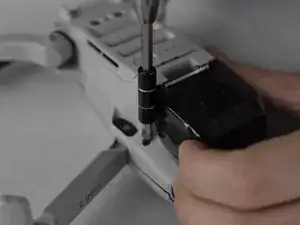
    • Remove the four 5 mm J000 screws near each propeller arm.

    Die Schrauben an den hinteren Armen kann man mit den Bits aus dem alten ifixit Bitset nicht erreichen. Sie sind zu kurz. Man braucht Bits mit langem Hals.

    Stefan -

  5. CybVSYG4SPRyCwIl
    CybVSYG4SPRyCwIl
    UTtqSwhMVhpJQIaX
    FPvj3rVnP3vAUO43
    • Flip the drone back over.

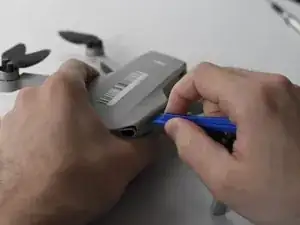
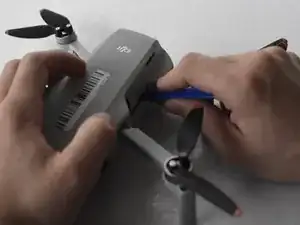
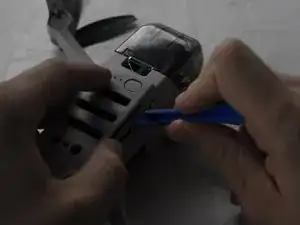
    • Use a combination of the opening tool and your fingers to pry open the top panel of the drone along the seams.

    Beim Zusammenfügen aufpassen. Ich habe zwei Nasen verbogen die dann in den Akkuraum ragten und abgebrochen werden mussten.

    Stefan -

  6. QdVwABwqRZlRYukA
    QdVwABwqRZlRYukA
    3kYwQp1nwsZyWtTj
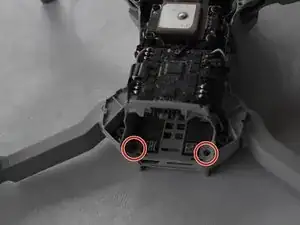
    • Remove the two 5 mm J000 screws located in the battery hatch and near the ports on the back of the drone.

  7. 2eKTlxYayAZFgAV5
    2eKTlxYayAZFgAV5
    tCOgssTTRY1KNedw
    • Flip the drone over again.

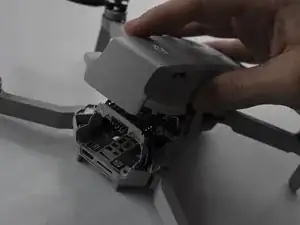
    • Pry off the bottom panel of the drone using the opening tools and your fingers.

Conclusão

To reassemble your device, follow these instructions in reverse order.

Jacob Matos

Membro desde: 25/03/22

1539 Reputação

3 comentários

Where to buy a new drone body ?

Loïc Sarda -

Same Q. Where to buy drone body? Please email me. Thanks

Ruud -

Look for it on Google directly or in Amazon there are websites dedicated to sell the hole body parts

Pedro Burgos -