Introdução

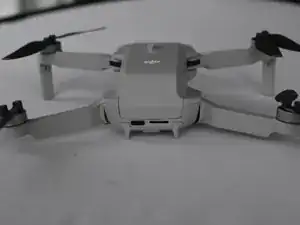
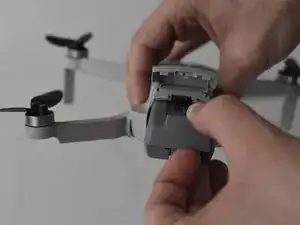
The Battery on a DJI Mini 2 drone can easily be replaced! This guide will show you how to quickly and safely remove the battery from the drone.

The battery of the drone powers the drone during it flights and is the heaviest part of the drone. If the battery is damaged in some way this will cause the drone to not turn on and require the battery to be replaced.

  1. OlIZwIPY2ye5fSbS
    OlIZwIPY2ye5fSbS
    lDMamJNH2CmcXDqd
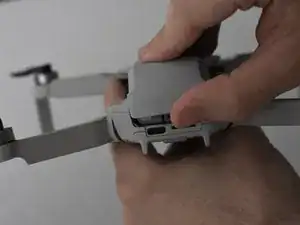
    • Face the DJI Mini 2 away from you so that you are looking at the charging ports.

    • Use your finger to open up the back panel.

  2. 1pNtTomXrvTtSALB
    1pNtTomXrvTtSALB
    lUbPH2u6OpgHJxds
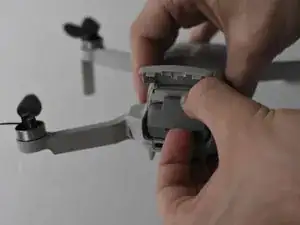
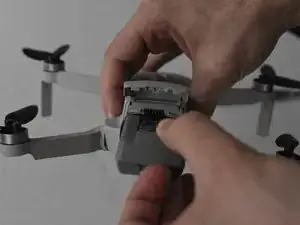
    • Pinch the locking mechanism on the battery to release the lock.

    • Pull the battery straight out of the compartment.

    Honestly, did we need an ifixit tutorial on THIS?!

    Next up, how to insert the battery.

    Big Ed -

    @big_ed Perhaps author wanted to make sure no electric issues to occur @people who are not aware of possible damages whilst having battery still inside.. Next up, a smart remark?

    Ruud -

    Merci 🔥 pour le tuto j'avais oublié comment on fait

    Layoness Record -

    Merci à vous pour ce bref mais incontournable tutoriel permettant l'accès à la batterie !

    Albert Brian Frank -

    Dieses Tutorial kann nicht ernst gemeint sein - oder doch?!

    thomas01 -

    Better explain to take really good care to make sure the battery is LOCKED when placing it into the drone. And even with the battery trap shut, I've had two crashes (from 50m high) where the battery was smashed out of the drone when it hit the ground ; problem ? No relocation possible, searched for hours.
    Nowadays I have a velcro strip even over the the battery door to make sure this never happens again. The DJI lock is too weak...

    Erwin van Dijk -

Conclusão

To reassemble your device, follow these instructions in reverse order.

Jacob Matos

Membro desde: 25/03/22

1539 Reputação

0 comentários