Introdução
Siga as instruções deste guia para desconectar o conector de bateria em um iPhone 6s Plus. Você deve desconectar a bateria antes de executar quaisquer outros reparos no interior do dispositivo para prevenir um curto-circuito de componentes sensíveis no telefone.


-
-
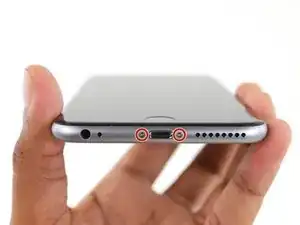
Remova os dois parafusos Pentalobe de 3,4 mm dispostos em ambos os lados do conector Lightning.
-
-
-
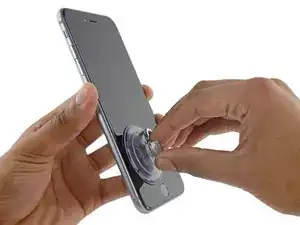
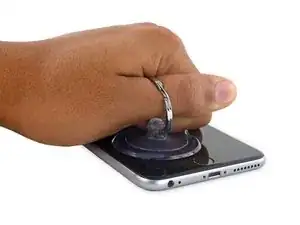
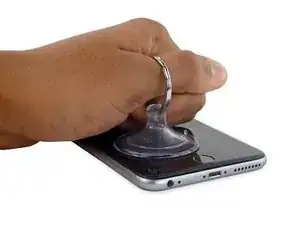
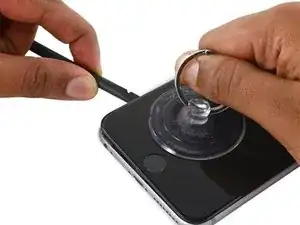
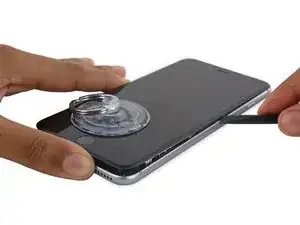
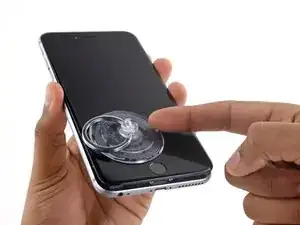
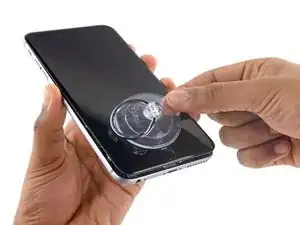
Puxe para cima a ventosa de sucção empregando força firme e constante, a fim de deixar uma pequena fenda entre o painel dianteiro e a estrutura traseira.
-
-
-
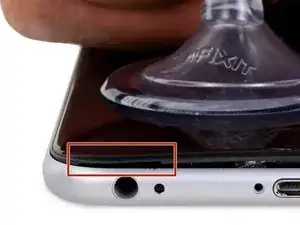
O local mais apropriado para desprender é o entalhe no painel dianteiro, que se encontra acima da entrada do fone de ouvido.
-
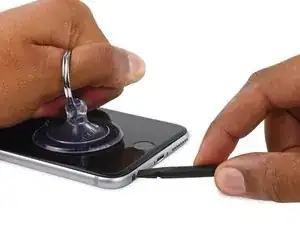
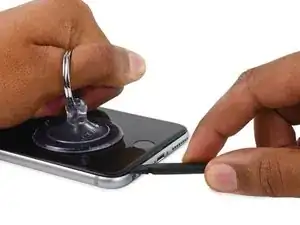
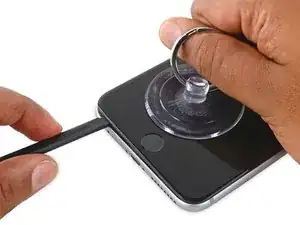
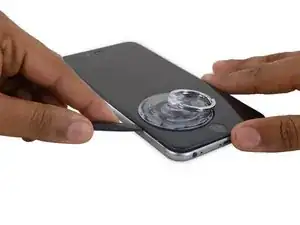
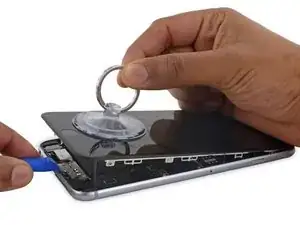
Enquanto exerce força com a ventosa de sucção, insira a ponta plana de uma espátula na fenda, diretamente acima da entrada do fone de ouvido.
-
-
-
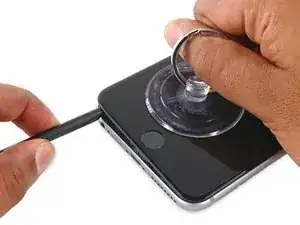
Gire a espátula para abrir a fenda entre o conjunto do painel dianteiro e a estrutura traseira.
-
-
-
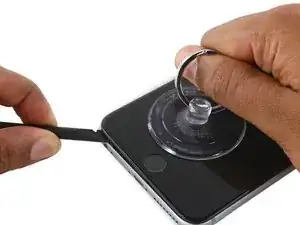
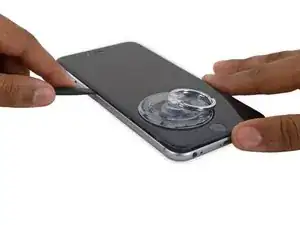
Enquanto puxa a ventosa de sucção para cima com firmeza, deslize a ponta da espátula por baixo da borda esquerda inferior do display.
-
-
-
Deslize a ponta da espátula para cima ao longo da lateral esquerda do telefone, entre o painel dianteiro e a estrutura traseira.
-
-
-
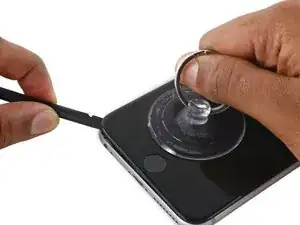
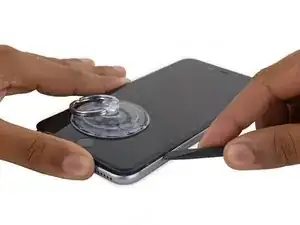
Insira a ponta plana da espátula por baixo da borda direita do display.
-
Deslize a espátula para cima ao longo da lateral direita.
-
-
-
Use uma ferramenta de abertura de plástico para manter a estrutura traseira abaixada enquanto puxa para cima a ventosa de sucção para abrir o telefone.
-
-
-
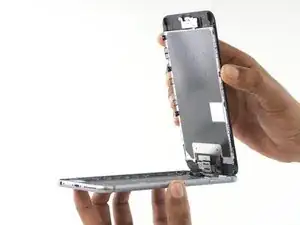
Segure com cuidado o conjunto do display e eleve-o para abrir o telefone, usando os clipes na parte superior do painel dianteiro como uma dobradiça.
-
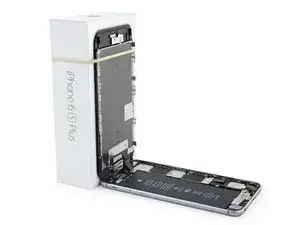
Abra o display a um ângulo de cerca de 90º e apoie-o em algo que o sustente enquanto você está trabalhando no telefone.
-
Engate uma faixa de elástico para fixar seguramente o display enquanto você trabalha. Isso previne uma tensão indevida nos cabos do display.
-
-
-
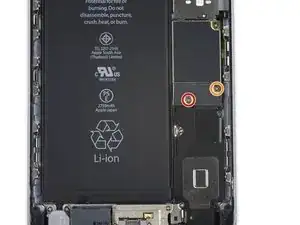
Remova os seguintes parafusos Phillips que seguram o suporte do conector da bateria à placa lógica:
-
Um parafuso de 2,9 mm
-
Um parafuso de 2,3 mm
-
-
-
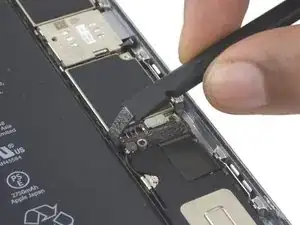
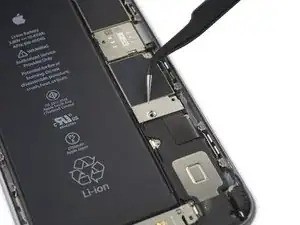
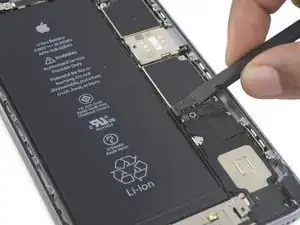
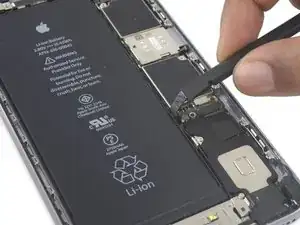
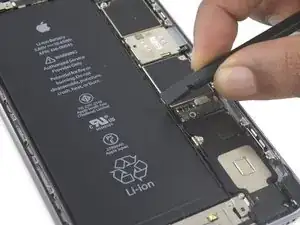
Incline o conector para trás para garantir que não haja contato involuntário e que o iPhone não ligue enquanto você está trabalhando nele.
-


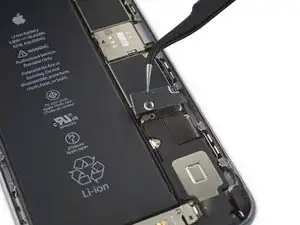
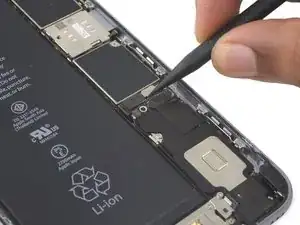
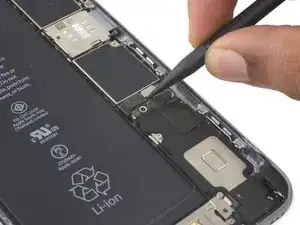
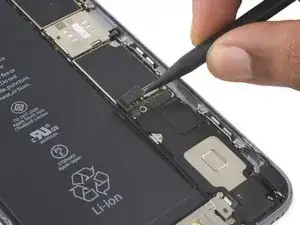
Para montar de novo seu dispositivo, siga estas instruções na ordem inversa.

Make sure you use the correct screw driver tip to remove these screws, which for the iPhone 6s Plus is the P2, otherwise you may strip the tip of the screw making it 10 times harder to remove. If once the screw is lose, it will not come off, use a magnet to remove it.
Miguel Perez -
what if i do strip it
Adam P -
If I do it by myself, will it damage the water resistant strip?
I know iphone 7 have it ,but I am not sure 6s plus have it.
Ganqian Zhu -
iPhone 6s has an adhesive gasket under the display, similar to the iPhone 7—however, it doesn’t add much in the way of waterproofing since the 6s has non-sealed openings in other parts of the phone. Water resistance on the 6s is primarily internal (seals around the logic board connectors, etc.). It may still be worthwhile to replace the adhesive on the 6s in order to help keep the display firmly seated so it doesn’t move/wobble at all under pressure, but the phone will continue to work fine whether you replace the adhesive or not.
Jeff Suovanen -
Salve nella procedura iniziale di smontaggio display con la ventosa non è menzionato il fatto di scaldare i lati del display per “ammorbidire” la striscia che incolla il display alla scocca.
Non è necessaria la cosa o è consigliabile ?
grazie
Hello, in the initial disassembling procedure with the suction cup, it is not mentioned how to heat the sides of the display to "soften" the strip that glues the display to the body.
Is not the thing necessary or is it advisable?
thank you
Daniele -
You’ve probably received your answer by now but for future enquirers, it does help the process of taking the screen off if heat is applied to the screen. If you have a hair Dryer use that on a low setting to heat the edges of the screen until it’s almost too hot to touch then slip very thin metal spudger around the edge to cut the adhesive. The carefully lift the screen with the help of the spudger and continue with your repair
Cheers Wayne
Wayne Lyell -
How do I know that the Battery has ZERO Charging Cycles on it when it arrives ? Is there a (downside) to Higher Capacity batteries ? It is INCREDIBLY DIFFICULT to maintain a “Zero Chinese Products Lifestyle”, so how do I know that I’m not getting a deficient Chinese battery, potentially a refurb. battery ?
integritybuilders -
When your repair is complete, you can use coconutBattery to check your new battery stats and cycle count. (A properly tested battery may already have a charge cycle or two on it.) Avoid higher capacity batteries on iPhones—they’re generally either gimmicks, unsafe, or both. As far as the quality of the part, that comes down to how much you trust your supplier and whether they guarantee the product.
Jeff Suovanen -
So I need to empty the battery to zero percent?
johnpatrickanat -
Below 25%, exactly as stated in the instructions. There’s no benefit to draining it further than that, and in fact you’ll slightly shorten the service life of the battery by draining it all the way to zero. Follow the instructions exactly as written—if you go off-script, you’re a lot more likely to break something.
Jeff Suovanen -
So my screen shattered completely and the screen first had colored lines on tge while right side then it went out completely. If i get an lcd and digitizer replacement I'd that oing to fix it
shellietheleo -
I would initially recommend a well-lit, comfortable area and placing the screws on a white piece of paper with the screw sizes written down (apparently there are magnetic mats, also). Also, I found placing the phone on a paper towel is good so that if a screw is dropped, it will lessen the likelihood of bouncing away.
Lou Fazio -
I recommend that, before you even lift a screwdriver or plug in the hair dryer, get a piece of paper and a pencil. As you unscrew and remove the parts, write the size and/or number for that step and put them by their label. I also used a microscope to identify the screw heads (I'm 75 and my vision is not what it used to be). Laying them out in order, I just went backwards when putting them all back in. I used an anti-static cleaning cloth instead of paper, but I should think they both will work.
N.B.: my kit had a nice pretty blue plastic sheet with a black outline on it. It was only when I put the whole phone back together and was packing up the supplies and tools that I realized it was a replacement gummi seal. A LABEL WOULD BE VERY USEFUL HERE!
I am a retired engineer, and aside from the size of the bits and bobs, it was a piece of cake! Thanks...you saved me $75!
P. Roberts -