Introdução

Using basic tools and a Soldering Station, you will be removing the motherboard for the Chromo Inc. T2.

  1. nJGuBZIII5cKq1Kb
    nJGuBZIII5cKq1Kb
    hAHsDrjKCLue2Hjb
    tWn144JWZOrOqKHA
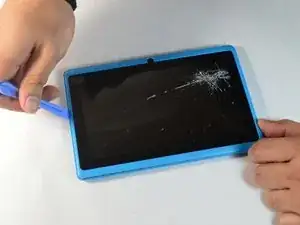
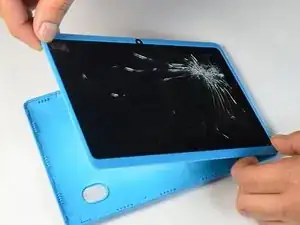
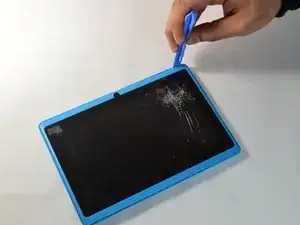
    • Place your plastic opening tool between the screen and the case. Slowly move it around the casing while prying in a downward motion to undo the hinges holding the two together and separate the two parts.

  2. 4nuHvgbBsJhVofKM
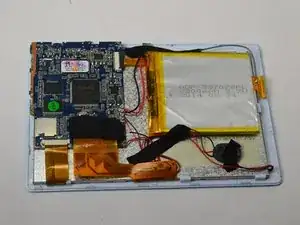
    • After separating the case and screen, turn your screen face down so you can see the internal parts.

  3. 5r51iA5s5gK4HnVN
    5r51iA5s5gK4HnVN
    gDSvSLQJF2pCbQQ4
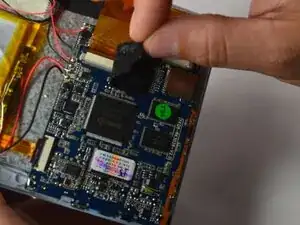
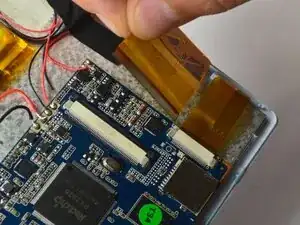
    • Peel back the tape holding the big flex cable in place.

    • Using your plastic opening tool, gently push back the gray connector to free the flex cables and then pull them out.

  4. wuppuqKJeX1fqbQx
    wuppuqKJeX1fqbQx
    1nmELKFRvRmDnXFQ
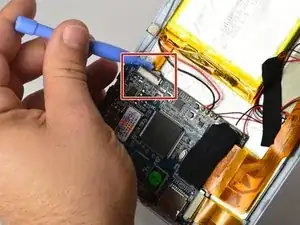
    • Using the small plastic opening tool, gently push the gray connector back to unlock the flex cable.

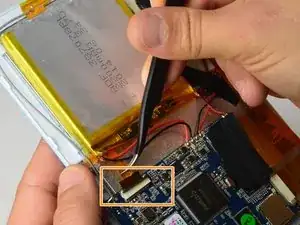
    • Using a pair of tweezers, gently grasp the flex cable and disconnect it from the connector.

  5. VQdfNXGpZyNlRuwP
    VQdfNXGpZyNlRuwP
    UdJofoHPJjIscwVh
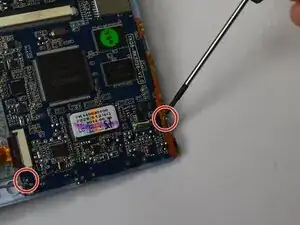
    • Using a Phillips #00 Precision Screwdriver, remove the three 3mm screws holding the motherboard.

  6. gsXG5S6Dv1ZpMRed
    gsXG5S6Dv1ZpMRed
    GyjDkFutWW2tIkfd
    m2oqYrtOY13Ysije
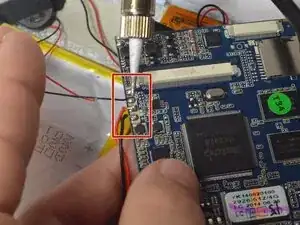
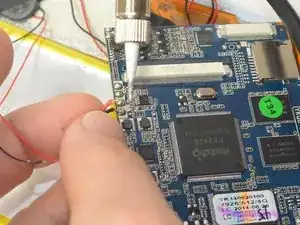
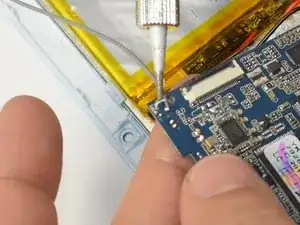
    • Using your soldering iron, desolder the six wires on the side of the logic board.

    • Remember where these wires go as re-connecting them incorrectly can lead to damaging the device!

    • Soldering Iron gets very hot, take care to not touch anywhere on the soldering iron except for the handle!

  7. LvVCcOiKktAVJZym
    LvVCcOiKktAVJZym
    MDc3INPBaKMXU2RR
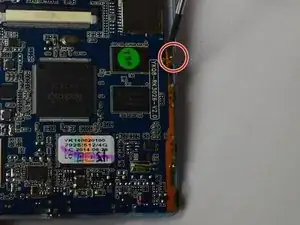
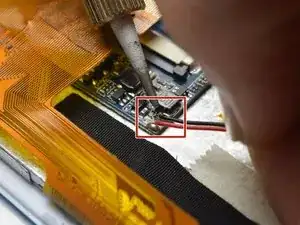
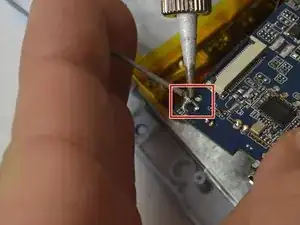
    • Using your soldering Iron, desolder the grounding cable on the motherboard.

  8. N6josSYvwy46Qk5S
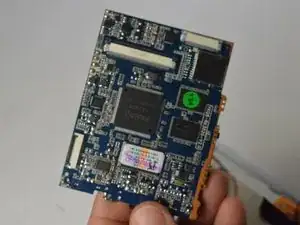
    • Your motherboard is now ready for replacement!

Conclusão

To reassemble your device, follow these instructions in reverse order.

Ismael DeLuna

Membro desde: 21/01/15

637 Reputação

0 comentários