Introdução

  1. Jvt5VTbBEZSKWXUW
    Jvt5VTbBEZSKWXUW
    6xWOSYkmCNkMOCD3
    DitauknjNHVfhYli
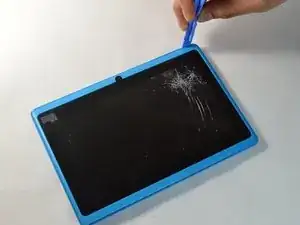
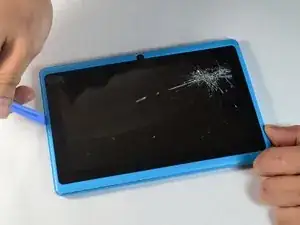
    • Place the plastic opening tool in between the screen and the case.

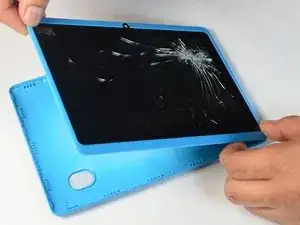
    • Slowly guide the tool around the case, pushing downward to separate the two pieces.

  2. 6XcA54PVJNRsCSAg
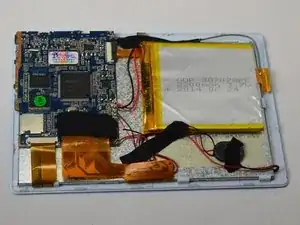
    • After separating the case and screen, turn your screen face down so you can see the internal parts!

  3. vPSkRtotaGxc4SUq
    vPSkRtotaGxc4SUq
    aUugQQJfFYMS1D2d
    t4mYegiDRruaw1jV
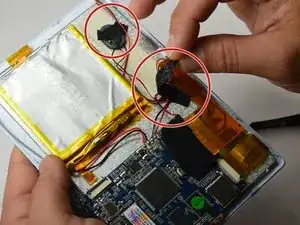
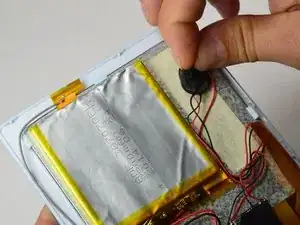
    • Remove the two strips of tape.

    • One piece of tape is holding down the wires and the other is holding down the speaker.

  4. rfJVBbWerAOh5RhS
    rfJVBbWerAOh5RhS
    6f5lQxLUUqVDIjna
    DSccoDcb2BRRT6TT
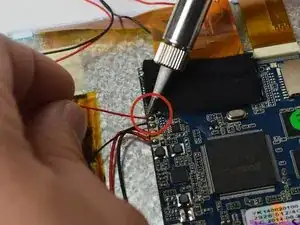
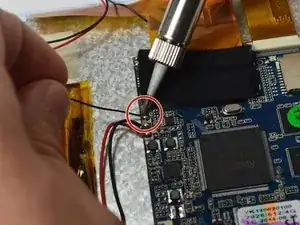
    • A soldering iron gets very hot. Do not touch anywhere on the soldering iron except for the handle!

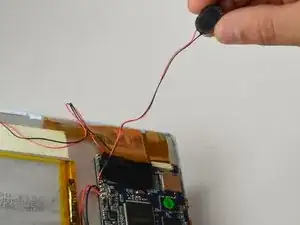
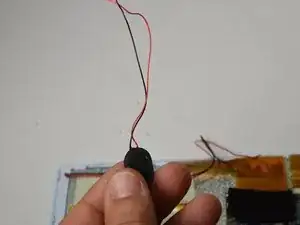
    • Using a soldering iron, desolder both speaker wires (one red wire and one black wire).

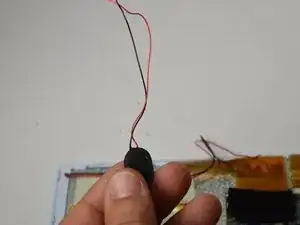
    • Now that the wires are desoldered, the internal speaker is ready for replacement.

Conclusão

To reassemble your device, follow these instructions in reverse order.

Ismael DeLuna

Membro desde: 21/01/15

637 Reputação

0 comentários