Introdução
Whether your camera is experiencing optical issues, software glitches, or physical damage, this guide will show you how to change your Chromo Inc. T2 front-facing camera. All you need is a plastic opening tool, tweezers, and a steady hand!
Ferramentas


-
-
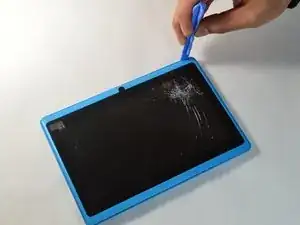
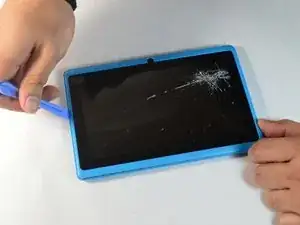
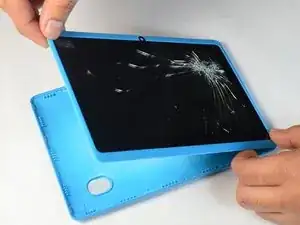
Place your plastic opening tool between the screen and the case. Slowly move it around the casing while prying in a downward motion to undo the hinges holding the two together and separate the two parts.
-
-
-
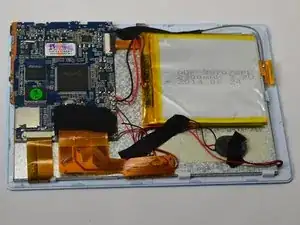
After separating the case and screen, turn your screen face down so you can see the internal parts!
-
-
-
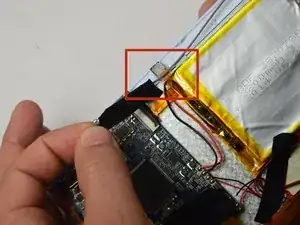
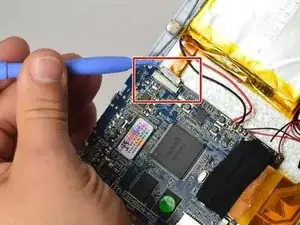
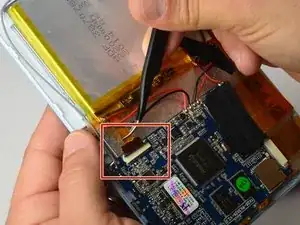
Using the small plastic opening tool, gently push the gray connector back to unlock the flex cable.
-
Conclusão
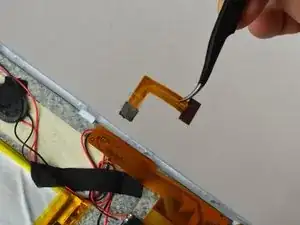
Now that your camera is removed from the rest of the internal parts, it can be replaced!
