Introdução
To ensure your Celestron HomeCast Lite 47020 main unit continues to perform at its best, replacing the battery is an essential and straightforward task. Over time, you may notice reduced battery life and need to replace the battery.
This guide will walk you through the process of safely and effectively replacing the battery. Whether you're tackling this repair due to poor battery performance or for general maintenance, this guide requires no specialized skills or tools.
Before you begin this repair, make sure to turn off the main unit of your Celestron HomeCast Lite 47020 weather station.
Let’s get your HomeCast Lite 47020 back to optimal performance!
-
-
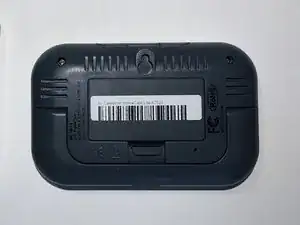
Flip the main unit over so the bottom is facing up.
-
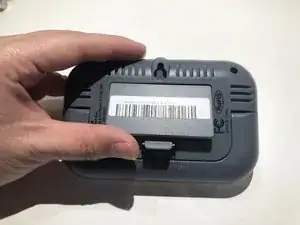
Use your finger to release the clip at the bottom of the battery cover and lift up.
-
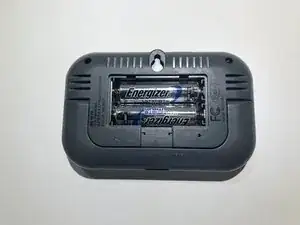
Slide the battery cover out from the top.
-
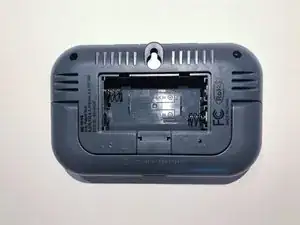
Use your fingers to slide the positive end of the battery upward first, then lift the negative end to remove each battery.
-
To reassemble your device, follow these instructions in reverse order.

You only need to put the picture of the right one, or the main unit.
Johnny Shen -