Introdução

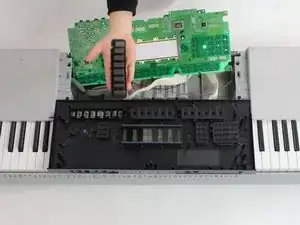
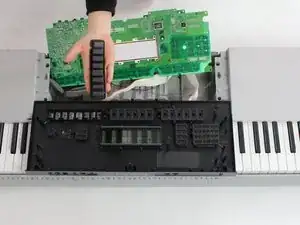
This guide will show you how to remove, clean, and replace the button clusters on the keyboard's front black panel

  1. WxgRCcVFyHaeKf1d
    WxgRCcVFyHaeKf1d
    DEFsNh6Zn6bLPMwh
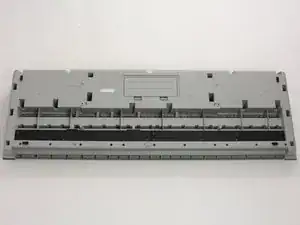
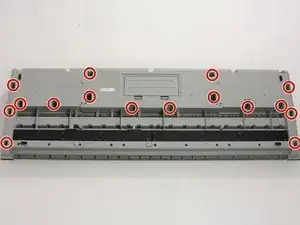
    • Place keyboard key side down

    • Remove 23 16mm screws with Phillips #2 screwdriver

  2. p6kbvpOYHdmkUU23
    p6kbvpOYHdmkUU23
    KCZtWEbtDLUupSVK
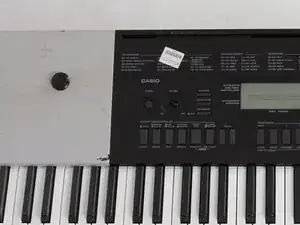
    • Use plastic opening tool to pry up volume knob

    • Remove volume knob

  3. 21dGgXTFWATlr2EJ
    21dGgXTFWATlr2EJ
    fciMtPCrS4W5mAuq
    AG1YFdPdB1QWKRZA
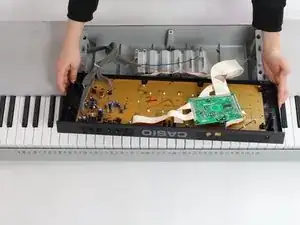
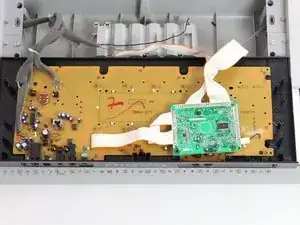
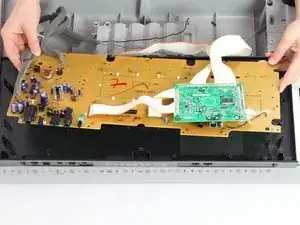
    • Pull black panel away from keyboard and place face-up on keys

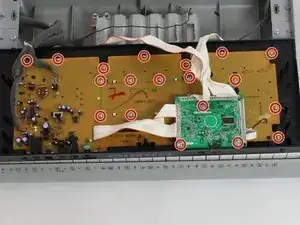
    • Remove all screws from circuit panel with Phillips #1 and #2 screwdrivers in order to remove all 18 16mm and 18mm screws.

    I want dis full LCD ent. Dis power bord ent wat is te pric

    Heine -

  4. AXc2paSZjMDrkMoU
    AXc2paSZjMDrkMoU
    KKohI6YrSc2SwtPu
    2KSIRqnO26G3wYCv
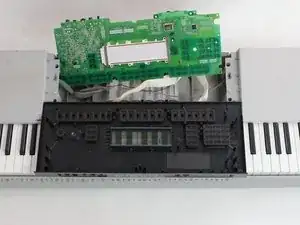
    • Pull circuit panel away from black panel

    • Set circuit panel out of the way

    • Remove/clean button cluster

    • Reassemble with new/cleaned button cluster

Conclusão

To reassemble your device, follow these instructions in reverse order.

Alexa

Membro desde: 25/01/17

705 Reputação

0 comentários