Introdução

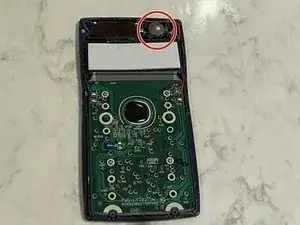
This guide demonstrates a step-by-step process on how to replace a CASIO FX-991MS battery. While the scientific calculator has a solar panel, the battery is still able to die after long usage, therefore it is necesary to understand how to replace it. Here you will learn how to quickly swap out the battery quickly and efficiently.

  1. QvCXd5f15HJIY3KW
    QvCXd5f15HJIY3KW
    56cNX2Y6T6K62XWf
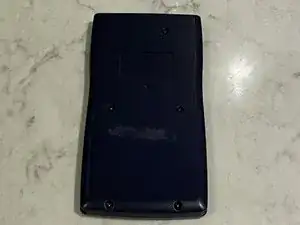
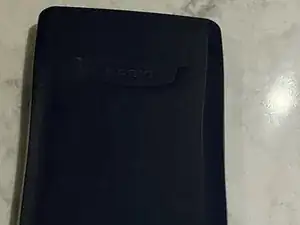
    • Remove the case and flip the calculator backwards.

  2. gmqTH6vlY6ntfPYj
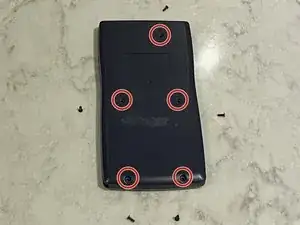
    • Use a Philips #0 head screwdriver to remove the five screws on the back of the device.

  3. 55AZSQLOwtr1GaKh
    55AZSQLOwtr1GaKh
    1SGcKnorMNGhmT4k
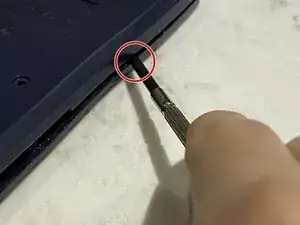
    • The top half of the calculator is tightly closed.

    • Carefully use an opening tool to slowly pry open the sides till it opens.

    • Apply a little bit of force if this is the first time opening the calculator.

    Trying a repair for the first time! There are plastic clips that hold the top section of the calculator. The second image shows the 5 clips.

    Start by pressing the right and left clips (circled on the photo).
    Wiggle the plastic till you almost have the top section left.
    Then using a prying tool go around the top corners a few times, you will hear a snap sound eventually.
    Then, proceed to push into the top 3 clips, and the cover will open up.

    Aditya Gupta -

    I used a flat screw driver head as the prying tool.

    Aditya Gupta -

  4. JFRRnN3TpYFhyDqV
    JFRRnN3TpYFhyDqV
    4QGNkERc12pA3GhD
    R1dN15Rot5nKHefL
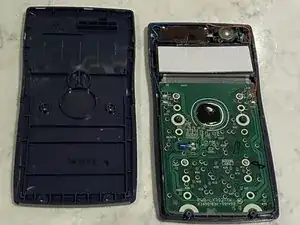
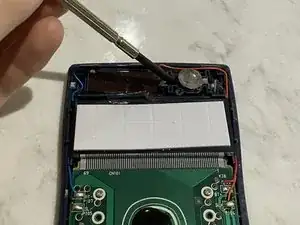
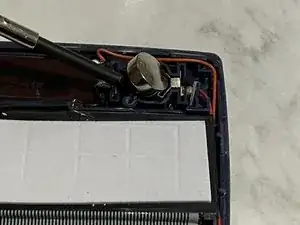
    • Use an opening tool to gently remove the battery from the device.

    Amazing, thanks. I was stuck with the top part, but this guide gave me the confidence to continue and figure how to prize it open.

    abua -

    Thanks! great guide!

    Jonathan Lin -

    Was wondering about opening the top. Thanks to you just used a prying tool to get it open

    Dan K -

    Thank you for the guide - made my first calculator repair!

    Aditya Gupta -

    Thank you for the info. It really helped.

    Readme -

    THANK YOU for such CLEAR and simple pictures and instructions! should get another 25 years out of it :-)

    breemu -

Conclusão

To reassemble your device, follow these instructions in reverse order.

Anthony

Membro desde: 22/01/21

445 Reputação

0 comentários