Introdução

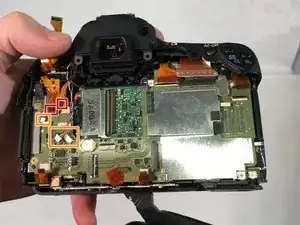
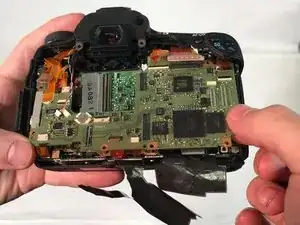
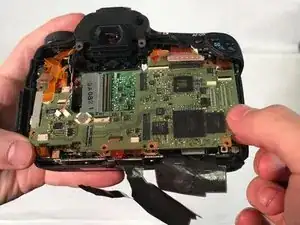
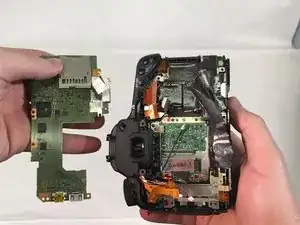
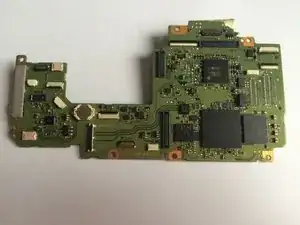
The main motherboard controls all functions of the camera.

  1. CfYBH6HPDr4e4kl3
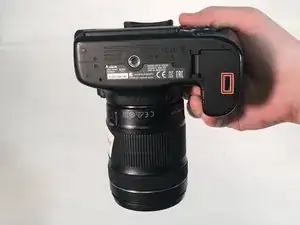
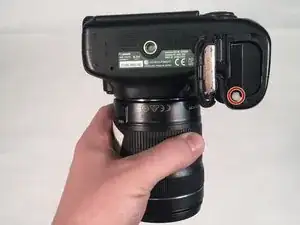
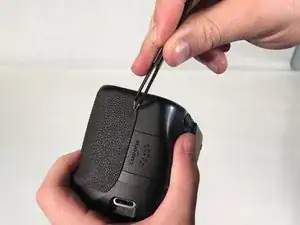
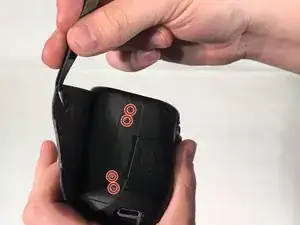
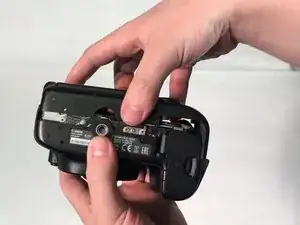
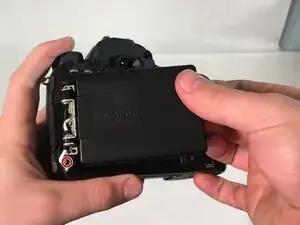
    • Hold the camera with the lens pointing down. Press the highlighted button with your finger to release the cover.

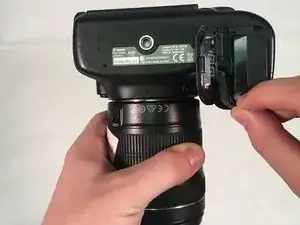
    • Pull cover over to expose the battery.

  2. bOiJBCqo44Z6C4TL
    bOiJBCqo44Z6C4TL
    v3Y3aTy4MWR5chdx
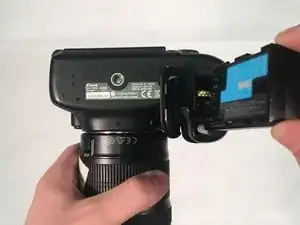
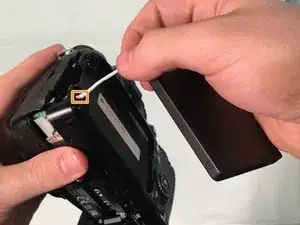
    • Press the white button with your finger to release the battery.

    • Once released, the battery will eject out about two inches

  3. MhfyfWalL2x3yEfL
    • Pull battery out of the camera.

  4. 6AnPCbEuDePaa2dY
    6AnPCbEuDePaa2dY
    EIpiyTCqTWaSRIqj
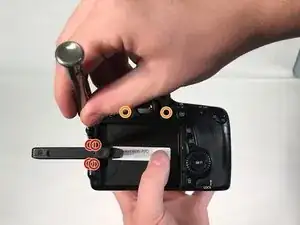
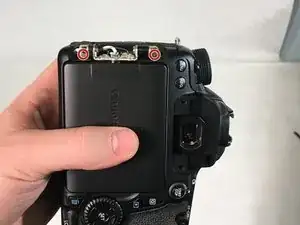
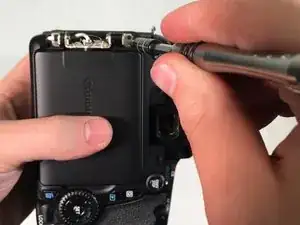
    • Pull Touchscreen out and rotate 90 degrees. Remove the four 3 mm Phillips #000 head screws that are now exposed at the hinge.

    • Remove the two 5 mm Phillips #000 head screws that near the viewfinder.

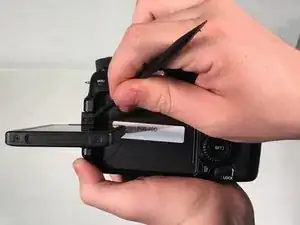
    • Use a spudger and pry apart the two plastic hinge-covers surrounding the screen hinge.

    • The screen and hinge columns will not be removed at this step.

    • Rotate the screen forward 90 degrees and push it back into its housing against the camera.

    You can remove the hinge housing in this step, but to remove the columns on either side of it, you'll have to unscrew 2 screws on the back of the backplate.

    And Pot -

  5. wEtDILuGYMuVf5ph
    wEtDILuGYMuVf5ph
    QnFaWpuuluHM4iLs
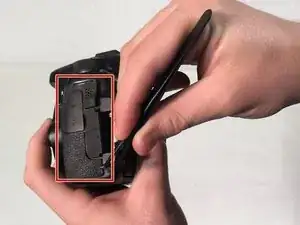
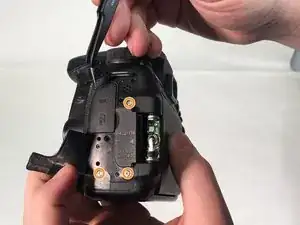
    • Use a spudger to peel rubber matting on left hand side to expose camera backplate mounting screws.

    • Remove three 4 mm Phillip #000 head screws that mount the backplate to the left side of camera.

  6. kllLCfPXXkNoDFEG
    kllLCfPXXkNoDFEG
    SuNcl2hMrSOgT4tn
    • Use tweezers to pry rubber matting on right hand side to expose backplate mounting screws.

    • Remove four 4 mm Phillips #000 head screws that mount the backplate to the right side of camera.

  7. RNTwweMuSGALQuXD
    RNTwweMuSGALQuXD
    SgRNJbIqmKvFcxWl
    YPIjBHsv5ZtT3exJ
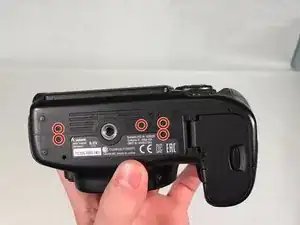
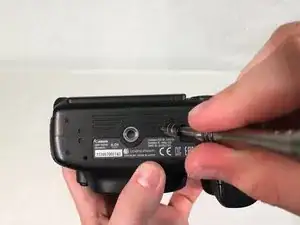
    • Turn camera upside down. Remove five 5 mm Phillips #000 head screws securing the backplate to the bottom of the camera.

    • Grab the backplate and gently pull away from camera.

    • The backplate will still be attached by the wires running to the LCD touchscreen.

    • The screen will still be attached to the camera and won't be removed until step 10.

  8. V6qlOCEk1FtVbKFQ
    V6qlOCEk1FtVbKFQ
    olyF51yefCdnfU6F
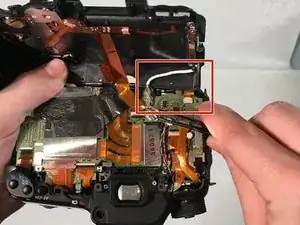
    • Carefully pry open backplate from camera to expose LCD connector (white wire). LCD connector is attached with a metal bar to the motherboard.

    • Use tweezers to gently pry metal bar connector from camera motherboard.

  9. 5bDBOB3xg2UBmUb4
    5bDBOB3xg2UBmUb4
    wBBJB1CBXETTwoHX
    • Remove two 4 mm Phillips #000 head screws that mount the LCD touchscreen to the hinge on the camera.

  10. mDa2FeFU5ltFv5Os
    mDa2FeFU5ltFv5Os
    RpAeb3AFkJJUoQAb
    VeAHAyyOLjQKlgYg
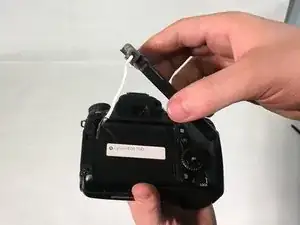
    • Grip the screen with your hand and gently pull white connecting wire through hole in backplate.

    • Once the connector reaches the hole, twist the connector and pull completely through hole.

    • You must twist the connector in order to fit through hole.

    On mine a EOS 70D(W) there were 2 screws on the other side of the case under the mats that also had to be removed and screws on the plastic hinge covers as well. Of course I also had to take the LCD case apart as the replacement I got was just the LCD not the entire unit.

    Michael Ault -

  11. jM1jMkRBOhQ4YQQb
    jM1jMkRBOhQ4YQQb
    klng2IqqNmTBe5vA
    QVkuQv6FLMQdYBvf
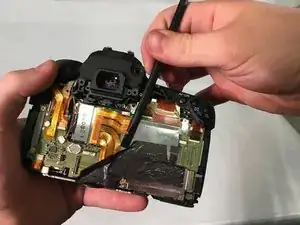
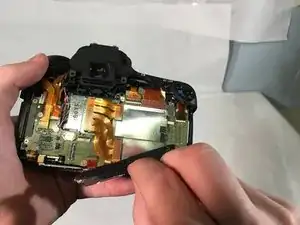
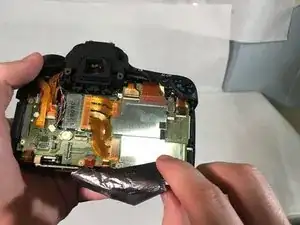
    • Use spudger to lift edge of black heat tape.

    • Slowly peel back black heat tape.

    When I did this step, it occurred to me you may not need to peel the black heat tape from the heat spreader.

    netguy -

  12. RaFaDM3cdTKYKIKO
    RaFaDM3cdTKYKIKO
    6fZ6fgAJNqGwMDKR
    OScOZZyHpqB5m5LZ
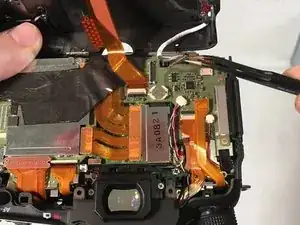
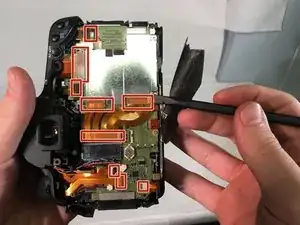
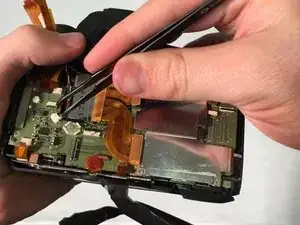
    • Very carefully, use spudger to remove nine orangish ribbon cables.

    • Using tweezers remove the two wire cables shown.

    • Slowly remove ribbon cables because they can tear very easily.

  13. WnI4TcPXDqcFGNlF
    WnI4TcPXDqcFGNlF
    Ly41r5OtpiOORPcB
    1eVMonBLYa2ibamL
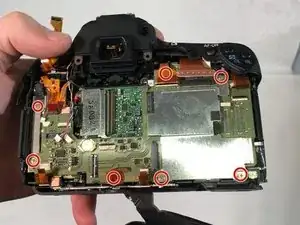
    • Remove seven 5 mm Phillips #000 head screws around motherboard.

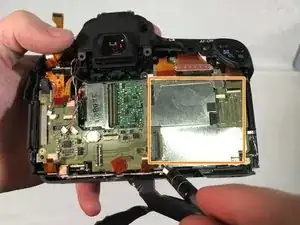
    • Once the five screws are removed, remove the metal chip covered by hand.

    • This will leave the mother board exposed, attached by two cable wires underneath.

    Also has small white connector top center that needs to be disconnected to remove motherboard.

    Travis Brubaker -

  14. odKtNp2yiRvai4Su
    odKtNp2yiRvai4Su
    sjEo6qJLCOsSTmuV
    lH1XDWBFp6CFyiwB
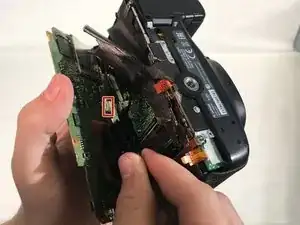
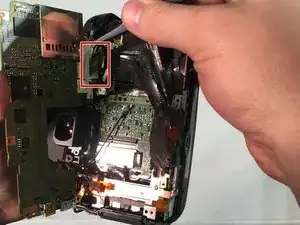
    • Slowly lift motherboard to expose the two cable wires underneath.

    • Using tweezers, unattach the two wire cables holding the motherboard in.

  15. wi2XpcfxUqBnnLDc
    • Carefully remove motherboard.

Conclusão

To reassemble your device, follow these instructions in reverse order.

Tyler Baker

Membro desde: 21/03/18

451 Reputação

5 comentários

Great write up and illustrations. I'm in the process of repairing a 70D and this will be a great help.

Thank you and keep up the good work!

marcuscleveland85 -

Hi, do you know if after replacing the main board it is necessary to configure the camera with some software ? (I heard of spt software)

Stephen Lay -

Hi Tyler my Canon Camera eos 70D isn’t working anymore is it possible to replace the motherboard?

Charlie Laguna -

Je suis à recherche de la carte mère de mon canon 70D. Puis je avoir de l’aide s’il vous plaît. Merci

Mahamadou DEMBELE -

Je suis à la recherche d'une carte mère Pour canon EOS 70d. Aidez-moi svp

kindambi jython -