Introdução
I replaced my black ink cartridge but it would not print. These are the steps I took to get it to print again. In summary: I cleaned the print head with damp paper towels.
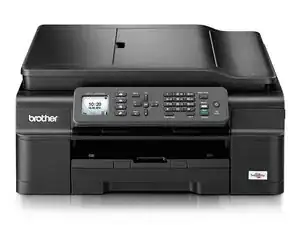
Model: Brother inkjet printer, model MFC-J470DW
Note: My printer is setup to print black only using empty color cartridges. (To do this: Unplug printer, remove color cartridges, cover clear ink level indicator with black tape)
About this guide: I found this solution in the comments of another guide and made it into a new guide so I could record my steps and share it with others.
Ferramentas


-
-
“Use the menu on screen to start a cleaning cycle.” (Note: 1. Choose “Black” Note 2: Be ready to unplug the printer)
-
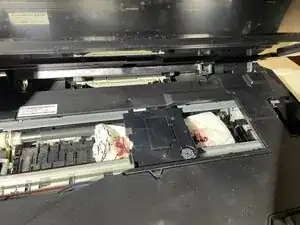
“Open the entire top of the printer, not just the scanner. The whole top should lift open with no resistance. You will see the print head moving back and forth when you open the printer.”
-
“Unplug the printer when the print head moves all the way to the left. The print head is difficult to clean when it is in its default position on the right side of the printer, but the printer needs to be off before you start cleaning it. Wait until the print head moves over and then unplug the printer.”
-
Credit for this step: Written by Suzanne Branch @suzannebranch in a comment based on guidance posted by Filipe Silva @filipesilv84820 in the comments to the guide "How to Unclog Brother Inkjet Print head Nozzles"
-
-
-
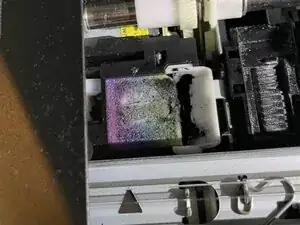
“Tear a single sheet of paper towel in half. Fold the sheet in half several times until it is about 1/2 inch wide.”
-
“Put a few drops of” rubbing alcohol “on top of the paper towel and lay it in the trough under the print head”. If you don’t have rubbing alcohol, water will work.
-
Credit for this step (the words in quotes) by crystalbic @crystal_b from the Guide: How to Unclog Brother Inkjet Print head Nozzles
-
-
-
Move the print head back and forth over the towel.
-
At this point, I opened the cartridge door and released the black ink cartridge.
-
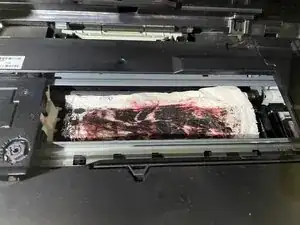
Repeat steps 2 & 3 until ink stops appearing on the paper towel. For my printer, it took about 10 towels to get it cleaned.
-
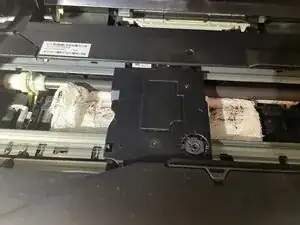
When it looks like the print head is clean, repeat using a dry paper towel and put the black ink cartridge back in.
-
-
-
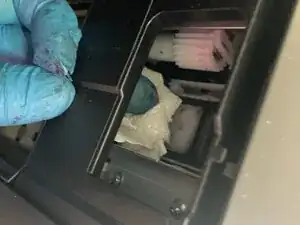
Clean the ink sponge on the left using paper towel. Dampening the paper towel may help absorb ink. The color will change eventually and you will see some white sponge showing through.
-
-
-
Close the cover & plug the printer in.
-
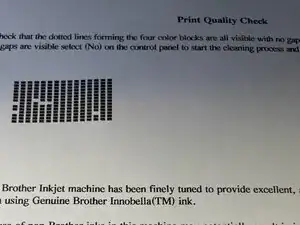
Run a test print. At the end of the test print, select “Yes” (otherwise the printer will go through the self-cleaning process). If you are not satisfied with the test print, repeat steps 1, 2 & 3. I repeated it three times. My final test print wasn't perfect but it was good enough for me. When you are happy with the test print, you’re done.
-
Thanks again to crystalbic for the original guide How to Unclog Brother Inkjet Print head Nozzles, to Filipe Silva for the comment "just start a print cycle and when the printhead moves, plug the printer off. then you can freely move the printhead and put the paper towel under it." and to Suzanne Branch for the steps based on Filipe's comment.
