Introdução
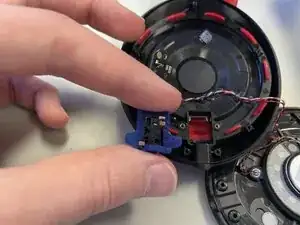
Use this guide to replace the auxilary port on your Beats Studio3 Wireless (model number: A1914).
A failing auxilary port will lead to connection issues when plugged into a seperate device. This guide will allow you to replace the auxilary port thus allowing the user to once again regain full access to physical connections on the device.
Ferramentas


-
-
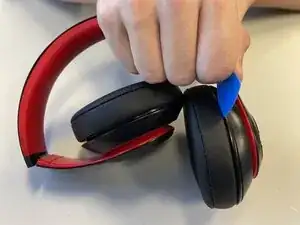
Insert an opening pick into the seam between the left driver housing and the left ear pad.
-
Apply pressure until the two begin to seperate.
-
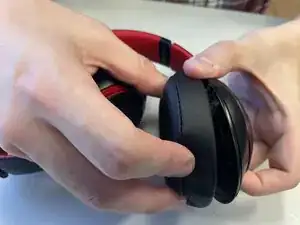
Pull them apart until the ear pad is fully removed from the headset.
-
-
-
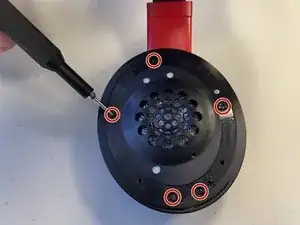
Remove all seven 5.2 mm-long screws on the plate using a Phillips #00 screwdriver.
-
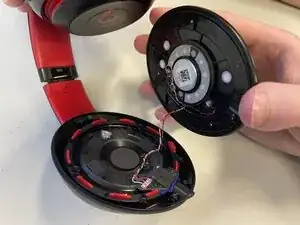
Pull the driver housing until separated from the level below.
-
-
-
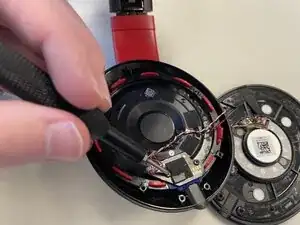
Use a hair dryer or heat gun to gently heat the daughterboard to loosen the adhesive securing it.
-
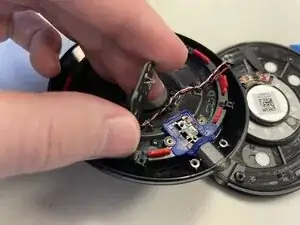
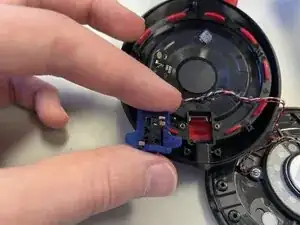
Remove the daughterboard.
-
-
-
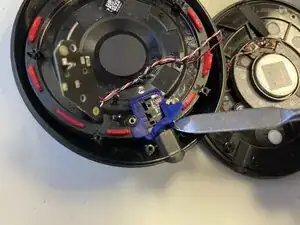
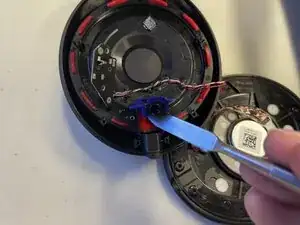
Insert a spudger underneath the auxiliary port.
-
Apply gentle pressure pressing up around the auxiliary port until it pops free.
-
To reassemble your device, follow the above steps in reverse order.
Take your e-waste to an R2 or e-Stewards certified recycler.
Repair didn’t go as planned? Try some basic troubleshooting or ask our Answers community for help.
