Introdução
If the Micro USB port of your BLU Dash Music 4.0 is damaged in any capacity, such as being loose, broken, or bent, you will need to replace it.
Without a proper Micro USB port, your device will not be able to charge or transfer data.
Before beginning with this guide, make sure your device is powered off and disconnected from any external sources.


Peças
-
-
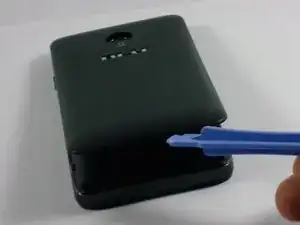
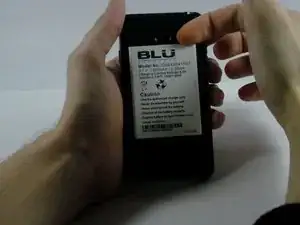
Use the plastic opening tool or your fingernail to pry off the battery from the top right corner.
-
-
-
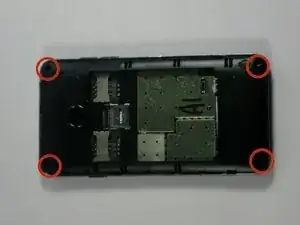
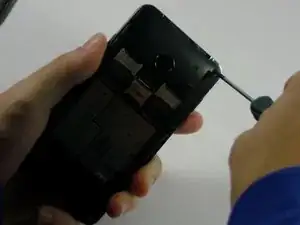
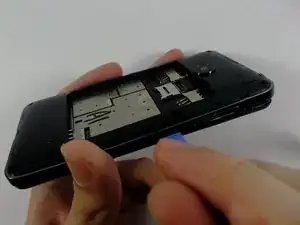
Take the plastic opening tool and insert it in the crease between the front screen and the inner back cover.
-
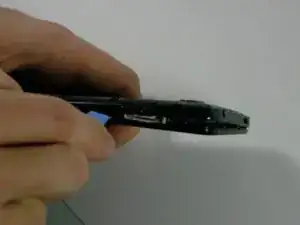
Slide the plastic opening tool along the edge of the phone such that the two covers are pulled apart.
-
-
-
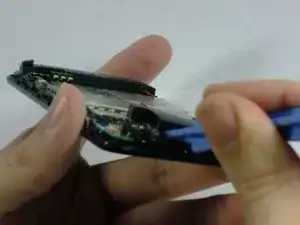
Insert the plastic opening tool between black pad and the circuit board. Then gently pry off the black pad.
-
This will make the connections of the charging port more accessible.
-
-
-
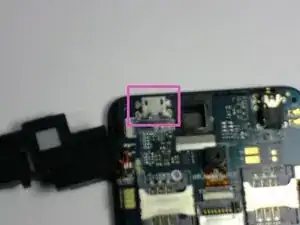
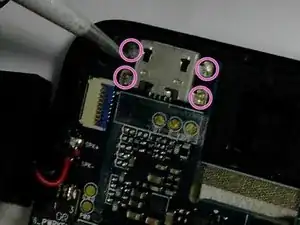
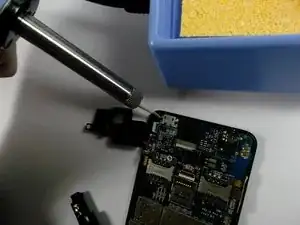
Using a soldering iron and a pair of pliers, melt the four soldering connections around the charging port.
-
Quickly pull off the current charging port while the soldering connections are still soft.
-
-
-
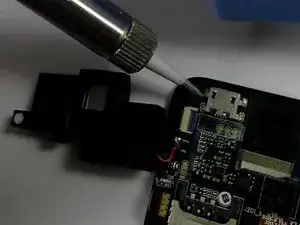
Mount the new charging port so that the four prongs of the charging port line up with the four soldering connections.
-
Using a soldering iron, solder the connections in place.
-
To reassemble your device, follow these instructions in reverse order.
