Introdução

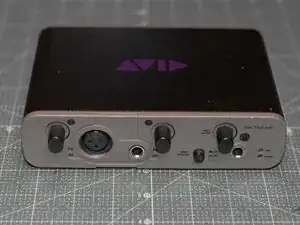
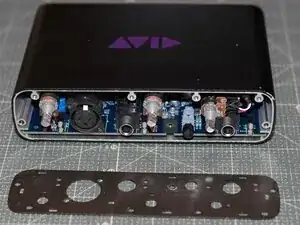
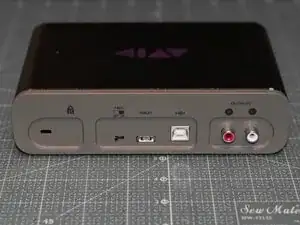
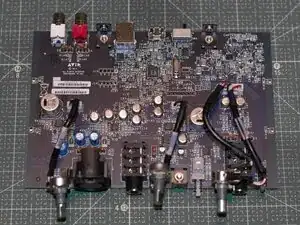
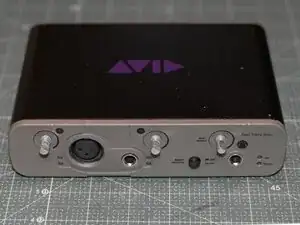
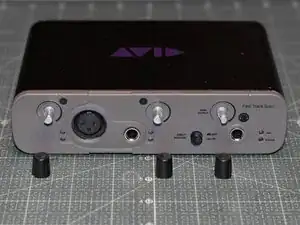
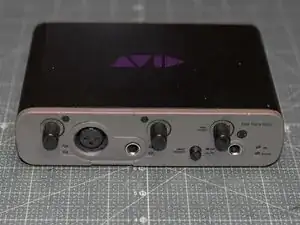
Full disassembly and teardown of the Avid Fast Track Solo audio interface.

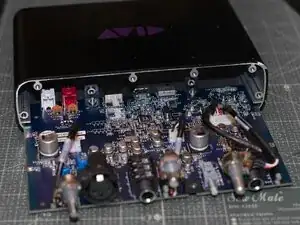
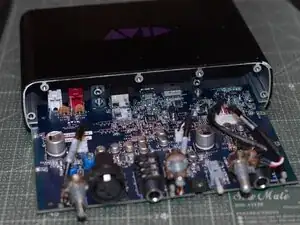
Follow this teardown to take off the chassis and access the internals of the Avid Fast Track Solo. This teardown can also be used in order to access, clean, or replace potentiometers or other components.

Before you begin, completely unplug all cables from this unit.

  1. KRluNtjlMYMTocs1
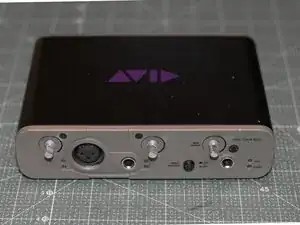
    • Remove all cables from the unit.

  2. hGVBXIENVYOdwtFj
    hGVBXIENVYOdwtFj
    UjOOOYvkyrygCENo
    nZ2sXDpPIuRHD6yB
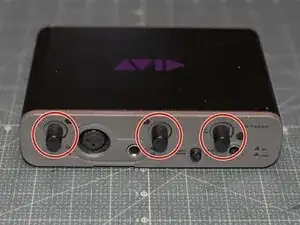
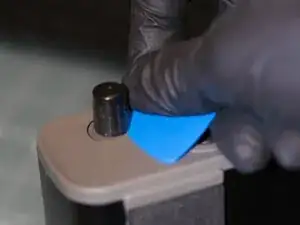
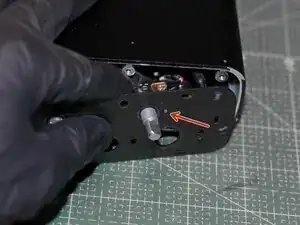
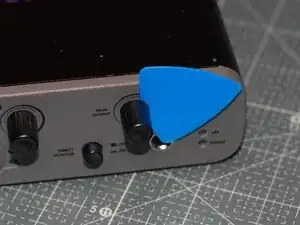
    • Remove all three knobs on the front by pulling them straight out.

    • One may insert one or two iFixit picks underneath the knobs to pry them out.

  3. X3M6uChDbZO1WFak
    X3M6uChDbZO1WFak
    mGhCJtoFCckSW4jn
    SttirpoJC5X5NFUw
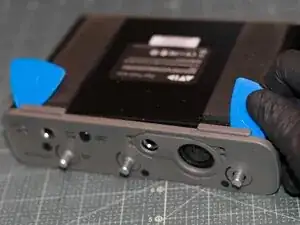
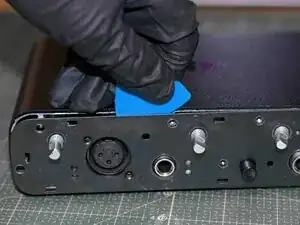
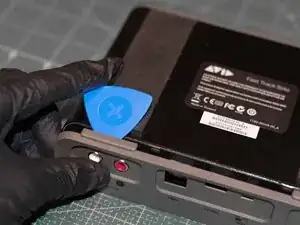
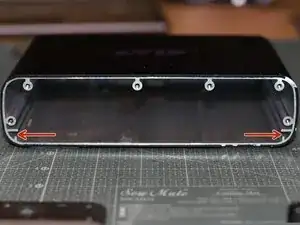
    • Turn the unit upside down.

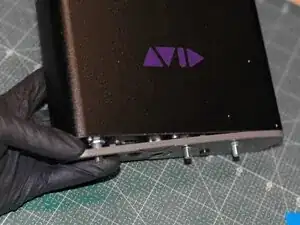
    • Insert an iFixit pick in the ridge between the body and the front plate, start in front of the feet pads and work around the unit.

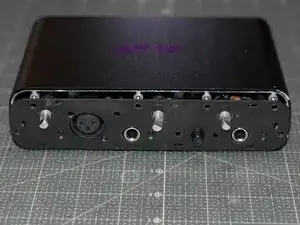
    • Carefully pry of the front plate.

  4. djZEUOqI1f1igXUY
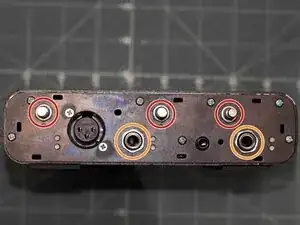
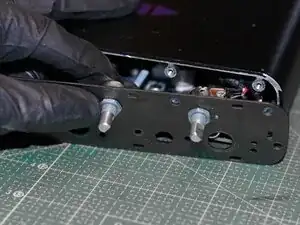
    • Use pliers to loosen the washers on the three potentiometer stems. The washers can then be unscrewed by hand.

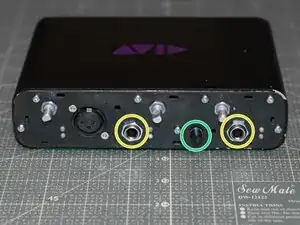
    • Use pliers to loosen the washers holding the two 6.3 mm jacks. The washers can then be unscrewed by hand.

    • Be careful not to hit the small lights to the right of each 6.3 mm jack when loosening the washers.

  5. ZNLp6ugppHYb6slJ
    ZNLp6ugppHYb6slJ
    NJk3xHfc6v4SaXWn
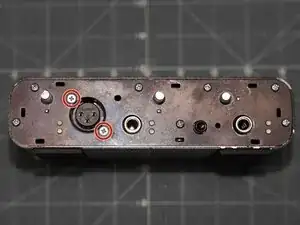
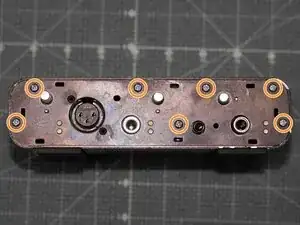
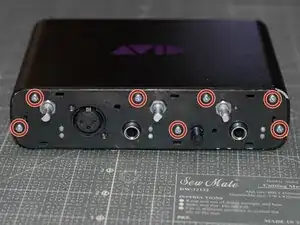
    • Unscrew all the screws fitted on the front plate, in the following order:

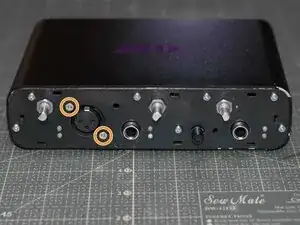
    • Use a PH1 screwdriver to remove the two PH1 screws securing the XLR jack.

    • Use a PH2 screwdriver to remove the remaining PH2 screws securing the front metal plate to the chassis.

    • The Direct Monitor button hat (between the two 6.3 mm jacks) can be left as is throughout the whole disassembly, alternatively it can be remove by gently pulling it straight out.

  6. rPCSZAMmZPdZ2bAK
    rPCSZAMmZPdZ2bAK
    L6O2ViTpVCGNhhng
    LIVgcEW3L6cMSIYt
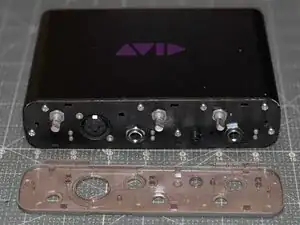
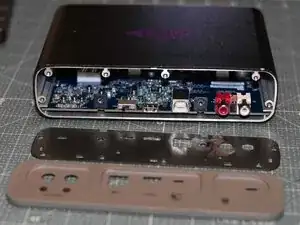
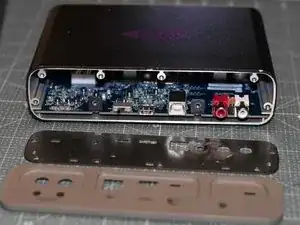
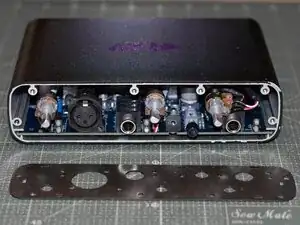
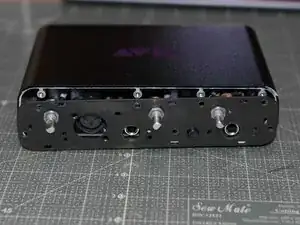
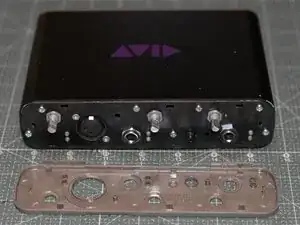
    • The front plate should sit loose on the body without any screws holding it.

    • Remove the front metal plate.

    • One may slide an iFixit pick in the seam between the front metal plate and the metal chassis if the plate does not fall off and all screws are loosened.

  7. HYEpX3Lw1agR2rkT
    HYEpX3Lw1agR2rkT
    Y2BjLQeuMAIdbCh4
    uWPv4woMBeTEpWPE
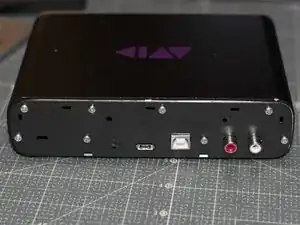
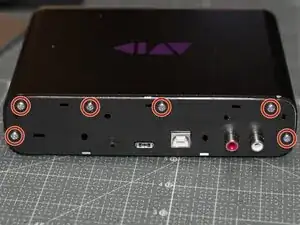
    • To remove the motherboard, it is necessary to first unscrew the screws securing it from the rear of the unit.

    • Turn the unit upside down. Face the rear of the unit.

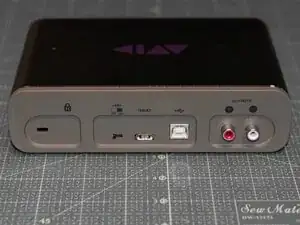
    • Insert an iFixit pick in the ridge between the body and the back cover, start behind the feet pads and work around the unit.

    • Carefully pry off the plastic rear cover.

  8. i6Fo5d5NW1xgPLFr
    i6Fo5d5NW1xgPLFr
    fmuboHkCQXkpdykQ
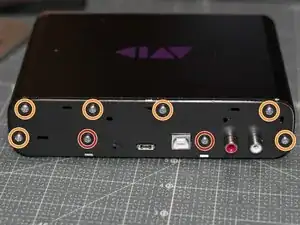
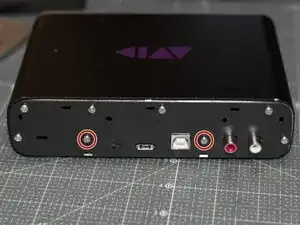
    • Unscrew all the screws fitted on the rear plate.

    • Only the screws marked in red need to be removed in order to detach the motherboard.

    • Use a PH2 screwdriver to remove the PH2 screws securing the motherboard.

    • Use a PH2 screwdriver to remove the remaining PH2 screws which are securing the rear metal plate to the chassis.

    • (optional) Remove the front metal plate.

    • One may slide an iFixit pick in the seam between the front metal plate and the metal chassis if the plate does not fall off and all screws are loosened.

  9. qE4sFaTST2OVJuS2
    qE4sFaTST2OVJuS2
    VsQklTEFLvhHEEZG
    soHTpNvjaa35a3Yf
    • To orient the unit, see the purple AVID logo on the top of the unit. The text is readable as AVID in correct orientation from the front of the unit.

    • Face the front of the unit.

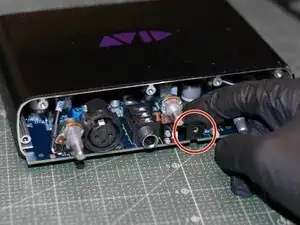
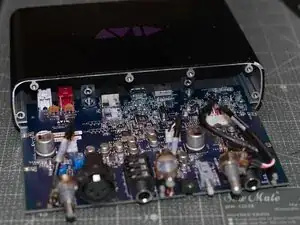
    • Gently pull out the motherboard by pulling the black post attached to the motherboard. The motherboard should slide out without any resistance.

    • Alternatively, the motherboard can be pulled out from the rear of the unit by pulling the black posts attached to the rear of the motherboard.

    • The full teardown is now complete!

  10. yqHRm44lvLcdWmLa
    yqHRm44lvLcdWmLa
    fOWwoBjQrZX2IXCj
    • This step can be skipped if the rear plate was not removed.

    • To orient the unit, see the purple AVID logo on the top of the unit. The text is readable as AVID in correct orientation from the front of the unit.

    • Face the rear of the unit.

    • Reattach the rear plate.

    • Reinsert and tighten the PH2 screws holding the rear plate to the chassis.

    • Do not reinsert the two screws which secures the motherboard.

  11. BupXwNaFX5FVRVcm
    BupXwNaFX5FVRVcm
    aTNEOfKReNAk2aSP
    dOHHgDNLkOFeDCpN
    • To orient the unit, see the purple AVID logo on the top of the unit. The text is readable as AVID in correct orientation from the front of the unit.

    • Face the front of the unit.

    • Gently insert the motherboard back into the chassis, all the way in. The motherboard is to rest on the lower lip.

  12. GR5A4hc2dqKDkeKo
    GR5A4hc2dqKDkeKo
    BTkwEKqliTisiFNH
    • Face the rear of the unit.

    • Reinsert and tighten the two PH2 screws securing the motherboard.

    • Reattach the plastic rear cover by pressing it on. Put pressure on the sides, and work around the unit.

  13. 2fwNnSC4Ny63Bt4b
    2fwNnSC4Ny63Bt4b
    hyu2MVMfBVXJNoh1
    hp4jS24FqKoITJf4
    • Face the front of the unit.

    • Insert the three potentiometers into the front plate.

    • Each potentiometer has a small prong that is to be fitted through the front plate, either to the right or below the potentiometer stem.

    • Reattach and tighten the washers for the potentiometers.

  14. cpHv5HBONSYceNsK
    cpHv5HBONSYceNsK
    BVOPavN6ZwHFRWOI
    AcF1efoX1BjVcYFL
    • Reinsert and tighten all screws into the front plate, in the following order:

    • Reinsert and tighten all PH2 screws securing the front plate to the chassis.

    • Reinsert and tighten the two PH1 screws securing the XLR jack into the front plate.

    • Some force is needed to screw the two PH1 screws back into the XLR jack. Be cautious to not over tighten the screws!

    • Reattach and tighten the washers for the two 6.3 mm jacks.

    • Use pliers to make sure the washers for the potentiometers and the 6.3 mm jacks all are tight and secured.

    • Be careful not to hit the small lights to the right of each 6.3 mm jack when tightening the washers.

    • If the Direct Monitor button cap (between the two 6.3mm jacks) were previously removed, please reattach it by gently pressing it into place.

  15. tepARTRN6nBMnW3w
    tepARTRN6nBMnW3w
    gPEH3COEAP3IC3XZ
    • Reattach the plastic front cover by pressing it on. Put pressure on the sides, and work around the edges of the unit.

  16. XKBn4PAkJHNst4hI
    XKBn4PAkJHNst4hI
    i5PR3TBBYjWKUGqW
    2JAhkyRyA4C5CEMy
    • When attaching the knobs, leave a tiny gap, or press an iFixit pick between the base of the knob and the front cover of the unit. This is to ensure that the knobs does not scratch against the cover.

    • Attach all three knobs to the potentiometer stems by pressing them straight on. They are interchangeable and the knobs will only fit in one orientation on the stems.

Conclusão

Congratulations! You are now done!

MeekVixen

Membro desde: 29/11/25

1476 Reputação

0 comentários