Introdução
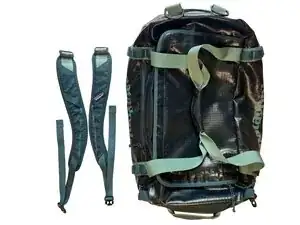
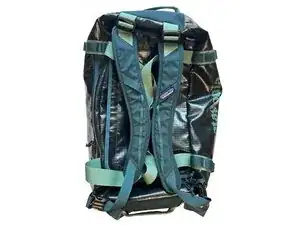
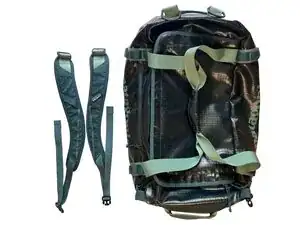
Patagonia® Black Hole® Duffels from Fall 2015 to present come with two removable shoulder straps that let you carry the duffel like a backpack. They can be detached and stored when not in use.
This tutorial demonstrates how to attach these straps!
If you're missing one or both of your shoulder straps, call or message Patagonia Customer Service or head into a local retail store.
Let's get fixing!
-
-
Locate the two removable shoulder straps included with your duffel.
-
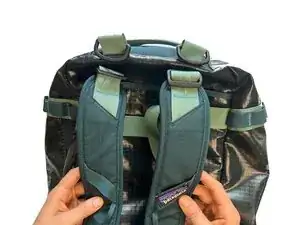
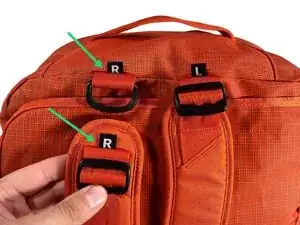
The strap with the Patagonia label goes on the right side, which sits on the left side of the chest when worn.
-
Some duffels have handy R and L labels on the straps and the bag!
-
-
-
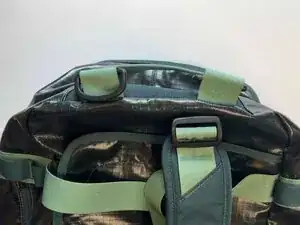
Locate the D-rings on one end of the duffel. They're on your left when the duffel is laying on its bottom with the front pocket facing you.
-
Grab the plastic ladder lock at the top of a shoulder strap and angle it so a short edge goes through the D-ring.
-
Slide the ladder lock completely through the D-ring, then twist it so the long edge rests against the D-ring.
-
Gently tug the strap to ensure it's securely attached.
-
Repeat this process for the second strap.
-
-
-
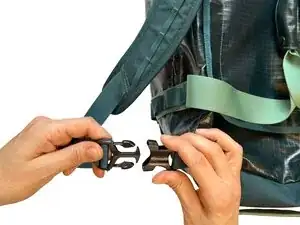
Locate the buckle lock (receiver) pieces on the opposite end of the duffel.
-
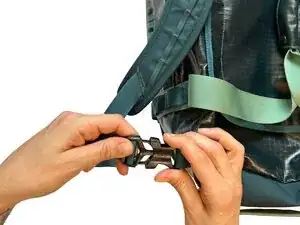
Insert the buckle release (insert) piece on the strap into the buckle lock piece on the bag until it clicks.
-
Repeat for the second strap.
-
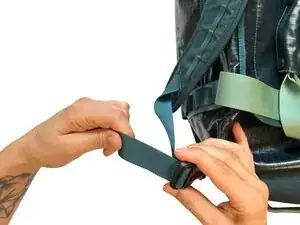
Adjust the straps for your comfort.
-
-
-
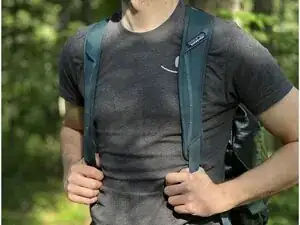
Your shoulder straps are now securely attached and ready for backpack-style carrying!
-
To remove the straps, simply reverse the steps above.
-
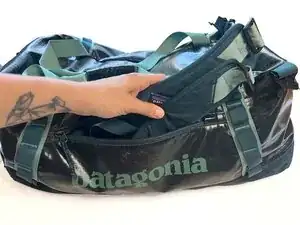
When not in use, stash the straps in the front pocket of the duffel for easy storage.
-