Introdução
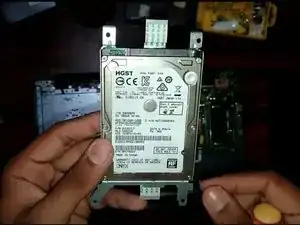
If you want faster memory (SSD) or want to increase the storage of your current Asus R558UQ-DM513D, follow this guide to replace your laptop’s current Hard Disk Drive with a new SSD/HDD.
Make sure to save your current Hard Drive data on another device before you begin.
Make sure you turn off and unplug the laptop before starting the procedure.
Ferramentas

Peças

-
-
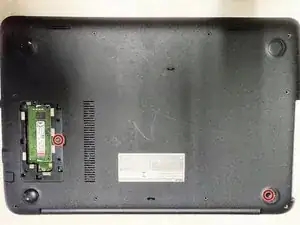
Using the Phillips #0 screwdriver, remove the single 5 mm screw and remove the RAM access panel.
-
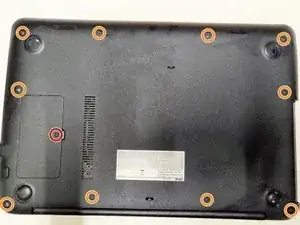
Remove the ten 5 mm screws using the same Phillips #0 screwdriver.
-
-
-
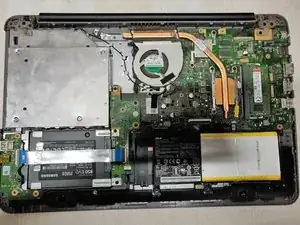
Gently take the left-side board containing the ports by simply sliding it in and taking it out while still connected to the wire.
-
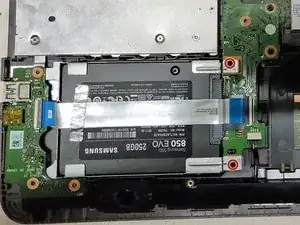
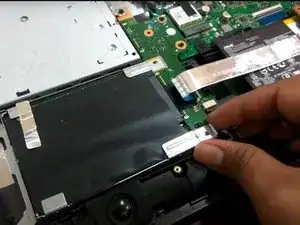
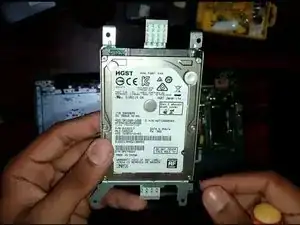
To reassemble your device, follow these instructions in reverse order.

Um comentário
Where do I locate the hard drive on my Asus LF10MA -WB04 laptop?
Paulo -