Introdução
Use this guide to replace a broken rear case on your Asus MeMO Pad 8 ME181C.
Ferramentas


-
-
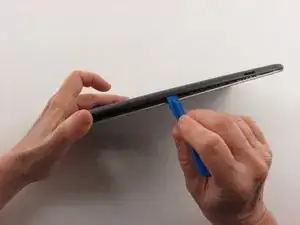
Insert a plastic opening tool into the seam between the rear case and the screen.
-
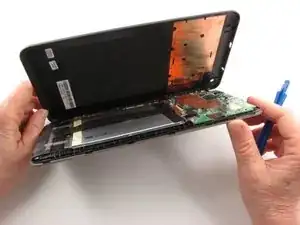
Work the plastic opening tool around the perimeter of the device to completely remove the rear case.
-
Conclusão
To reassemble your device, follow these instructions in reverse order.
