Introdução
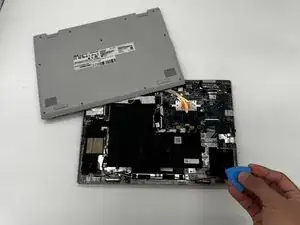
If the bottom case of your ASUS Chromebook Flip CX1400FKA-AS88F is cracked, scuffed, or you need to access internal components, use this guide to learn how to remove the back (bottom) casing.
Before you begin this repair, power off your device, and unplug the charging adapter and any peripherals.


Peças
-
-
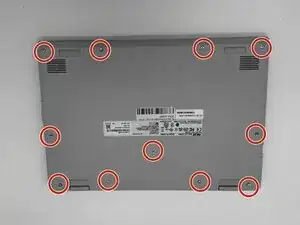
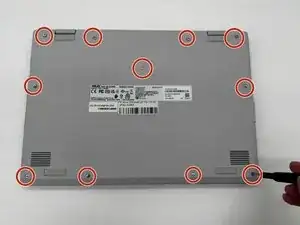
Using a Phillips #0 screwdriver, remove the eleven screws securing the bottom cover of the device.
-
-
-
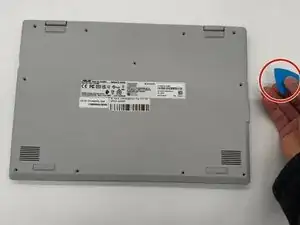
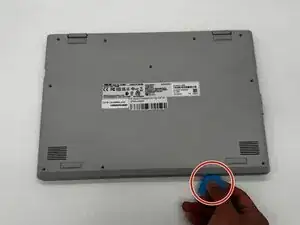
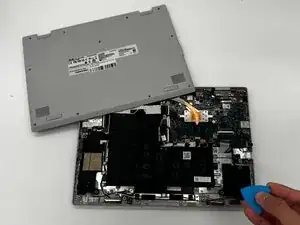
Use an iFixit opening tool or nylon spudger to gently separate the bottom cover from the Chromebook.
-
Insert the tip of the opening tool into the seam between the top and bottom covers, then slide it along the perimeter to release the internal clips securing the case.
-
To reassemble your device, follow these instructions in reverse order.

Um comentário
Good job, everyone!!!