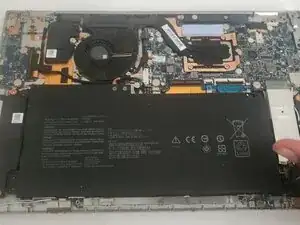
Introdução
After so many charging cycles, the battery in your Chromebook will begin to lose power and won't hold a charge. Buying a new computer is more expensive than replacing a broken battery. Use this guide to replace a broken Asus C436F Chromebook battery.
Remember to turn off the Chromebook before proceeding with the replacement. Let the Chromebook discharge before proceeding. If not, you might burn your motherboard.


-
-
Flip your Chromebook over so the bottom case is facing up.
-
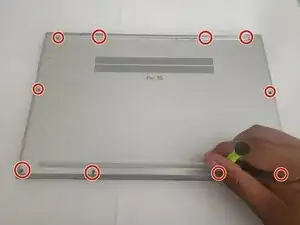
Use a Torx T5 screwdriver to remove eleven 3 mm screws from the bottom of your device.
-
-
-
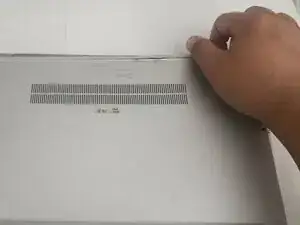
Insert the end of an opening tool into the seam between the bottom and top case to release the clips holding them together.
-
Remove the back panel of your Chromebook.
-
-
-
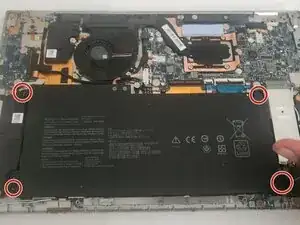
Use a Phillips #0 screwdriver to remove the four M2 x 3 mm screws holding the battery to the chassis.
-
-
-
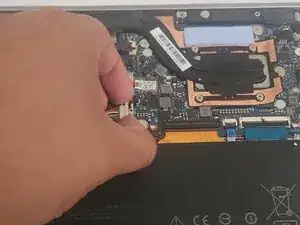
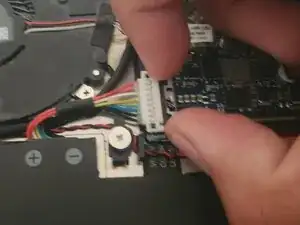
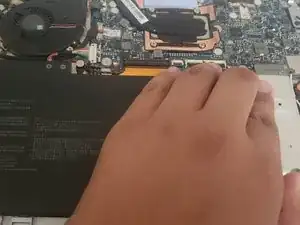
Slide the metal lock that connects the battery to the motherboard backward (to the right). Then, lift the white connector straight out of the socket on the motherboard.
-
To reassemble your device, follow these instructions in reverse order. For optimal performance, calibrate your newly installed battery after completing this guide.
Take your e-waste to an R2 or e-Stewards certified recycler.
