Introdução
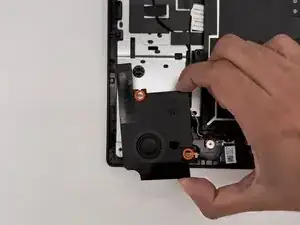
If your Chromebook is having issues with audio quality or no audio from the speakers, this guide will show you how to easily replace the speakers of your Asus Chromebook CX1500CN.
The speakers are not a vital part of the laptop, but you will not be able to hear without an external audio device otherwise. You will need a #1 Phillips screwdriver and, optionally, an iFixit opening tool.
Ferramentas


-
-
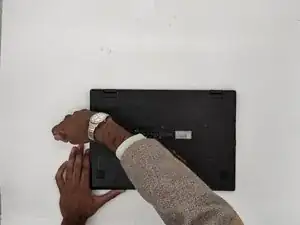
Orient the laptop so that the bottom of the laptop faces towards you.
-
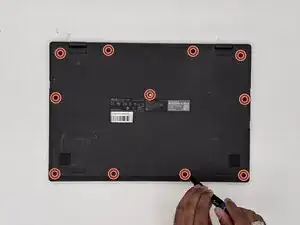
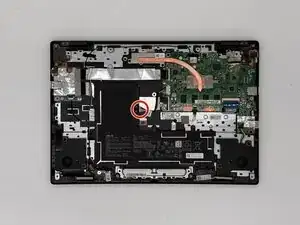
Use a Phillips #1 screwdriver to remove the eleven 8 mm-long screws that secure the lower case.
-
-
-
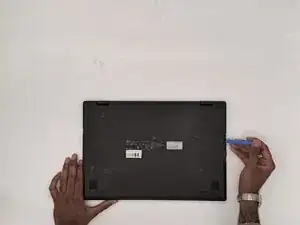
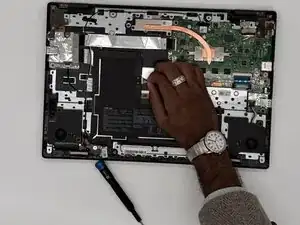
Insert an opening tool into the seam between the lower case and chassis.
-
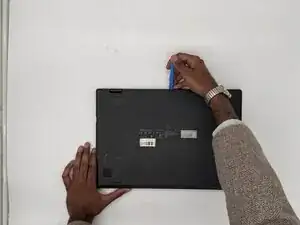
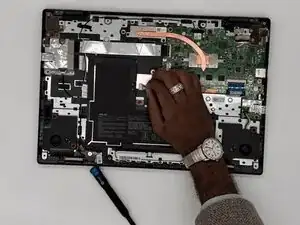
Pry around the entire perimeter until the lower case fully releases.
-
Remove the lower case.
-
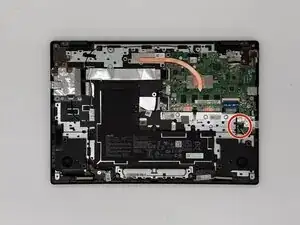
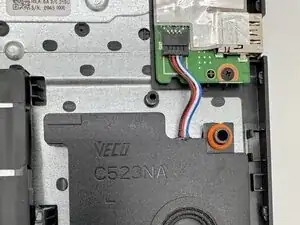
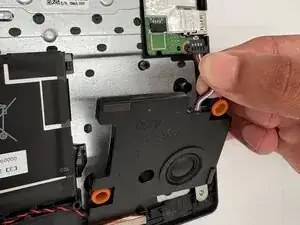
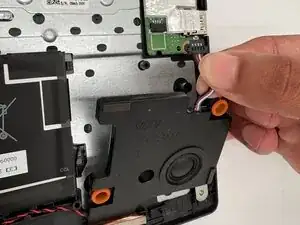
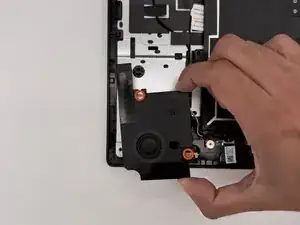
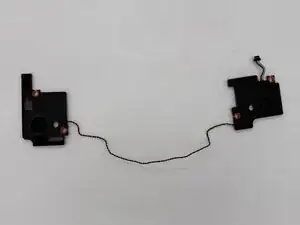
To reassemble your device, follow the above steps in reverse order.
Take your e-waste to an R2 or e-Stewards certified recycler.
Repair didn’t go as planned? Try some basic troubleshooting or ask our Answers community for help.