Introdução
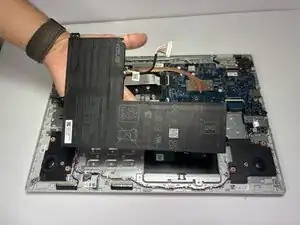
Over time, the battery in your Asus Chromebook CX1500CKA-AS84F may begin to lose its ability to hold a charge, leading to shorter usage time and reduced performance.
Replacing the battery can restore your Chromebook’s portability and extend its overall lifespan. This guide will walk you step by step through the safe removal process, using only a few basic tools.


-
-
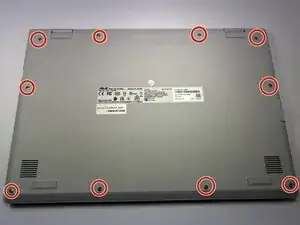
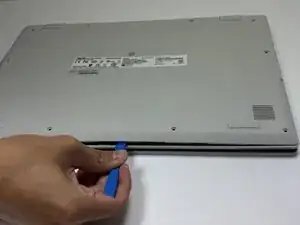
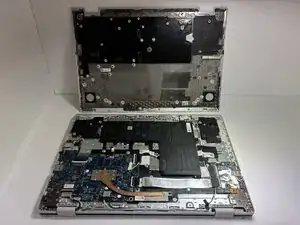
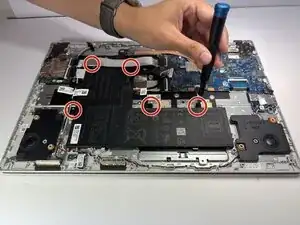
Remove the ten 7 mm JIS #00 screws from the bottom edge of the Chromebook.
-
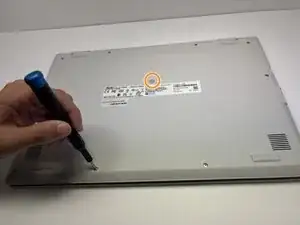
Remove the one 7 mm JIS #00 screw in the middle, above the tag.
-
-
-
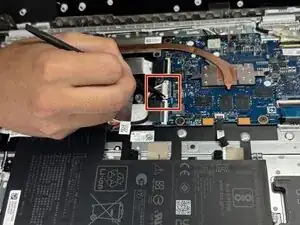
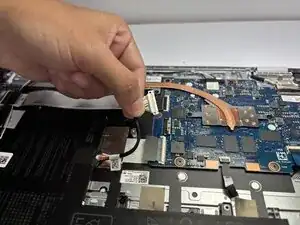
To disconnect the cable, use a spudger or your fingernail to lift the locking tab.
-
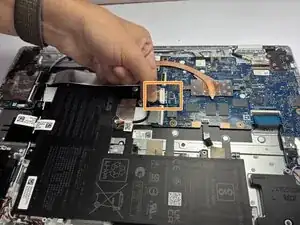
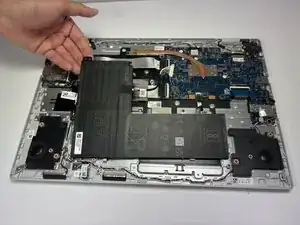
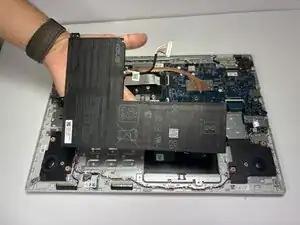
Use your hand to carefully unplug the battery cable from the motherboard.
-
Conclusão
To reassemble your device, follow these instructions in reverse order.