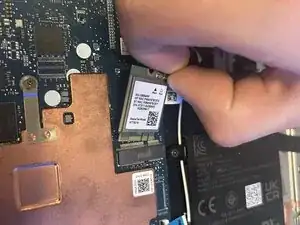
Introdução
The Wi-Fi card is a hardware component that allows a computer or device to connect to wireless networks. While convenient, have several drawbacks such as limited range, interference from other devices, slower speeds compared to wired connections, and potential security risks. They may also face compatibility issues with newer technologies. This guide will walk you through the process. Wi-Fi cards are designed as "plug and play" components, meaning the physical installation is manageable for most users.
Ferramentas


-
-
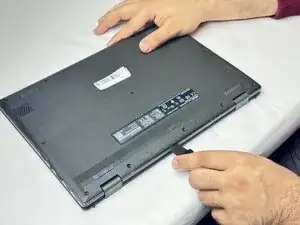
Insert an opening tool or Jimmy into the seam between the lower case and chassis.
-
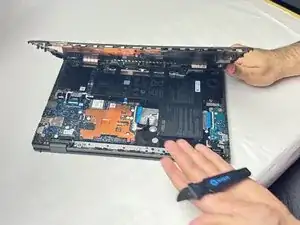
Pry around the entire perimeter until the lower case fully releases.
-
Remove the lower case.
-
-
-
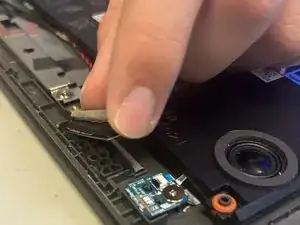
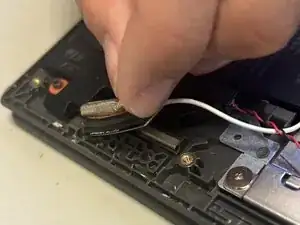
Use an opening tool to pry up and disconnect the two Wi-Fi card coaxial cables.
-
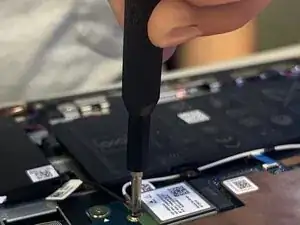
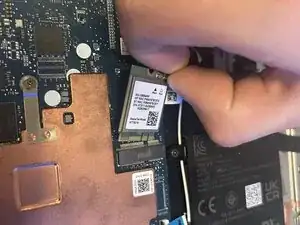
Remove the single 6 mm-long screw securing the Wi-Fi card using a Philips #1 screwdriver.
-
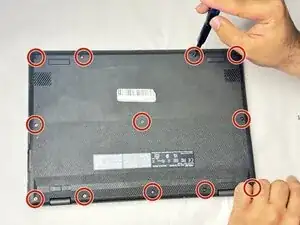
To reassemble your device, follow the above steps in reverse order.
Take your e-waste to an R2 or e-Stewards certified recycler.
Repair didn’t go as planned? Try some basic troubleshooting or ask our Answers community for help.
