Introdução


-
-
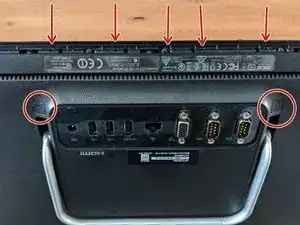
Remove screws at the circles
-
Remove gum strap and screw 5 screws out
-
Use a big screwdriver or some plastic to softly open the entire case around, starting at one down corner where your removed the screws before. The plastic clips will click a little. Don't be to hard.
-
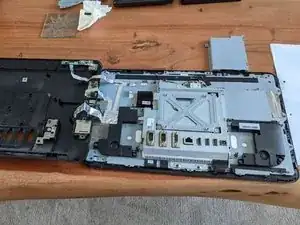
Then you can lay the back next to the front, see second picture.
-
-
-
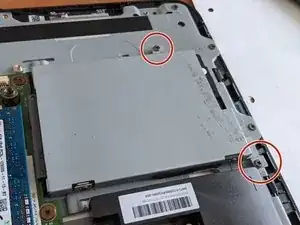
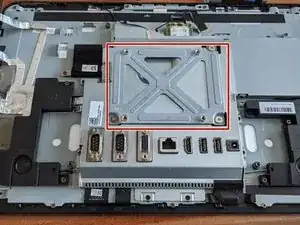
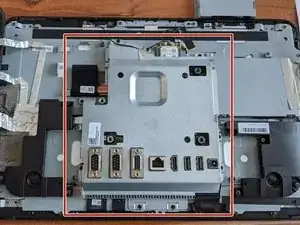
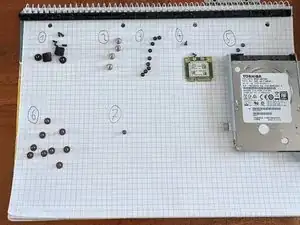
You can now remove and/or replace harddrive easily. (This can be done in later steps, but will be necessary before attempting to move the motherboard)
-
If you're only replacing the drive, then you're done here. Retrace your steps to get the device back to and assembled product.
-
If you are replacing or fixing something else as well, please continue with the steps.
-
-
-
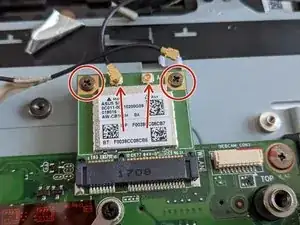
Remove the antenna cables from the Wi-Fi Module.
-
Remove the 2 screws to unfasten the Wi-Fi Module, then angle it upwards and pull it out, away from the socket to continue disassembly.
-
-
-
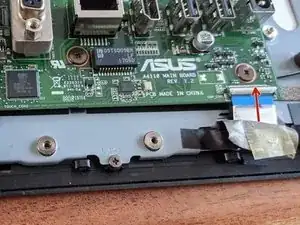
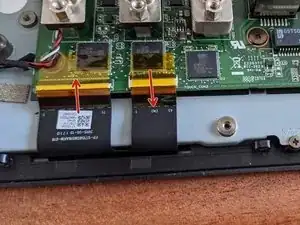
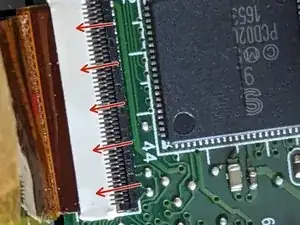
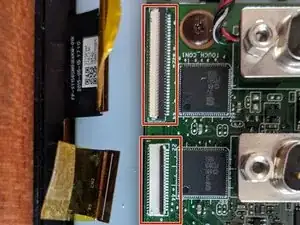
Remove display cables by pulling the white plastic clip up from the cable side
-
Pull up the left clip same as the right one from first picture from cable side.
-
To reassemble your device, follow these instructions in reverse order.

Um comentário
grazie della spiegazione