Introdução

Use this replacement guide if the power port of the Amazon Echo Show 8 is not functioning. The power port is important to the device because it ensures it can properly function overall. Before continuing with this replacement guide, go to the troubleshooting guide ensure you have completed the troubleshooting steps, and make sure the power sport is clean. There are two components when powering the device, the port and the cord. This guide will walk you through replacing the speaker. Make sure the device is disconnected from the power before proceeding with the guide.

  1. A42yxFCW6uxivLsY
    A42yxFCW6uxivLsY
    KRmCe1bblmcDgUWF
    hvs2ngiPZM4kt3te
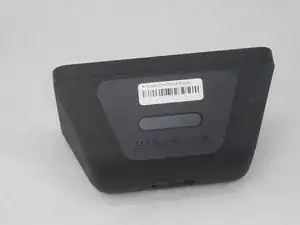
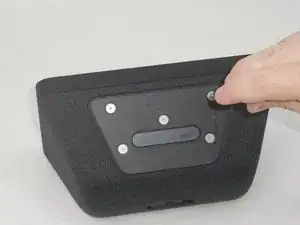
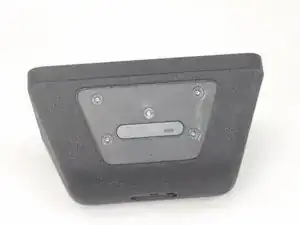
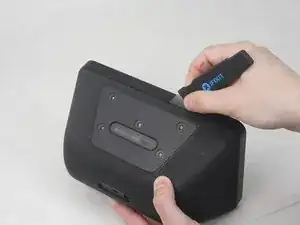
    • Flip the device so that the rubber foot is facing up.

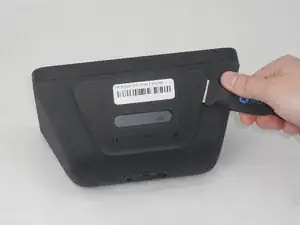
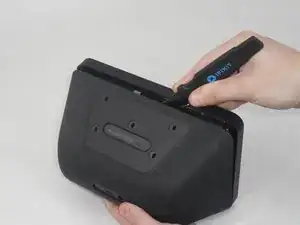
    • Insert a Jimmy between the rubber foot and chassis, then slide it around the perimeter until the rubber foot releases.

    • The adhesive that holds the rubber mat on may require some force to sever.

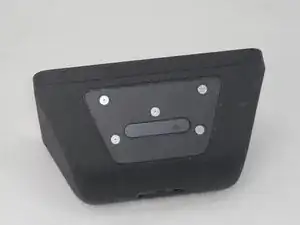
    • Remove the rubber foot.

  2. 1NZcPJovanrBsxJe
    1NZcPJovanrBsxJe
    XfOSddypHvhEnaxT
    QgNNaGaplikWD3bF
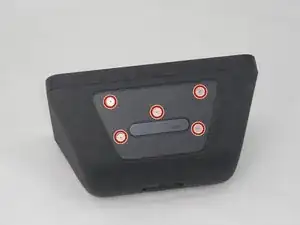
    • Use a T6 Torx screwdriver to remove the five 4.5 mm screws from the base of the device.

  3. WNGnZE3i6boSViMF
    WNGnZE3i6boSViMF
    JfFxUiJDEG3QEwjo
    5jlgwtRryFgA41PF
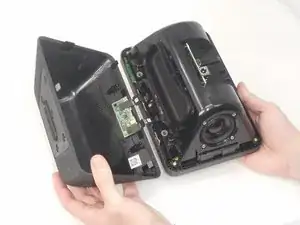
    • Insert a Jimmy in the gap between the front and rear case.

    • Work the Jimmy around the perimeter to gently detach the rear case from the front case.

    • Separate the rear case from the front case.

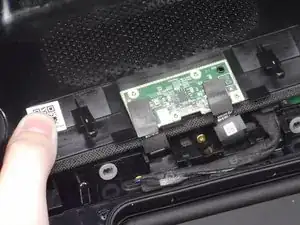
    • There are 2 thin ribbon cables connecting the microphone board to the back cover. Take care not to tear or strain them as you separate the cases.

    Getting the base rubber off … I had disaster and tore the rubber .

    THE RUBBER BASE HAS AN INTEGRATED METAL PLATE IN IT …

    so

    Don’t do what I did try to peel the rubber off that plate …

    Go in quite deep and fully underneath with a round ended dinner knife. ITS THE METAL BASE THAT HAS THE ADHESIVE ON AND GRACEFULLY LIFTS AWAY WITHOUT ANY DAMAGE EASILY !!!

    G4VRX -

    Mine had water damage and was stuck in safe mode , volume down not working . I had to deeply disassemble and clean the end of the ribbon attaching to the button circuit board . Lift the black ribbon hinge up to 90deg and reinsert the ribboned end , then hinge the black hinge down again.

    I blobbed up the main heatsink compound like blue tak again and put heat sink backing plate back on . Managing to knock one of the grey heat sinks off during reassembly. It’s working good again after full reset/setup. Quite a delicate thing inside to be sure .

    G4VRX -

  4. MyoNisvZHigXJjxX
    MyoNisvZHigXJjxX
    a1shI2TVGhyXQpQ5
    PgQXEYAGBTGAWXTd
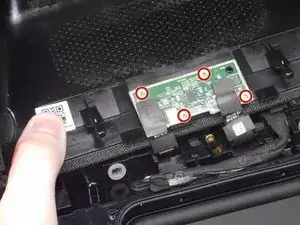
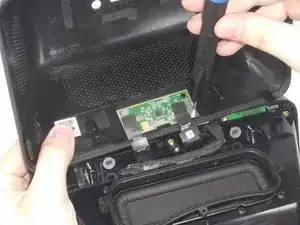
    • Use a T6 Torx screwdriver to remove the four 5.2 mm screws that secure the microphone board to the rear case.

  5. RuxGeg5ThClpx1kU
    RuxGeg5ThClpx1kU
    GrvmCOxYdbkkKErS
    UpB6DgdlrlaiNRlR
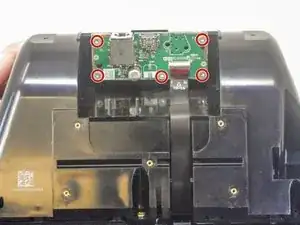
    • Lay the device face down with the power board facing you.

    • Use a T6 Torx screwdriver to remove the five 5.3 mm screws that secure the power board.

  6. LOhQBoCkUjEKYD6J
    LOhQBoCkUjEKYD6J
    nKgARAHnmADSNxCo
    O2YFCAHWxmcY5ikx
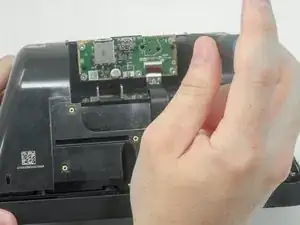
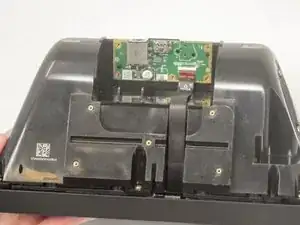
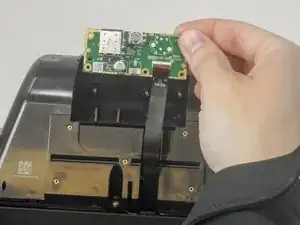
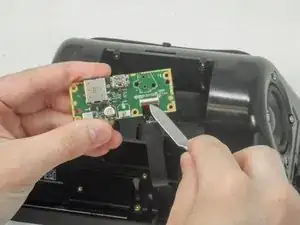
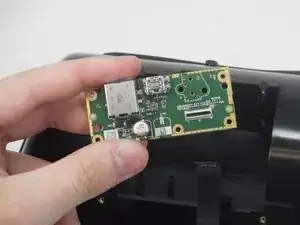
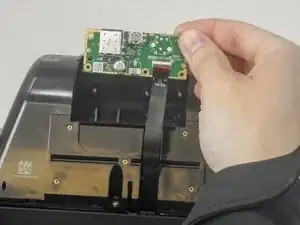
    • Gently lift the power board out from its original position.

    • The ribbon cable is attached with adhesive to the speaker housing. Take care not to tear it when lifting the power board.

    • Use a spudger or your fingernail to flip up the black ZIF locking flap.

    • Pull the ribbon cable directly out of its port.

Conclusão

To reassemble your device, follow these instructions in reverse order.

Micayla Muturi

Membro desde: 14/02/24

193 Reputação

0 comentários