Introdução
If your Alcatel Go Flip 4 isn’t producing clear audio—distorted, intermittent, or no sound—through the speaker, use this guide to replace the speaker.
Before using this guide, inspect the external speaker for debris that may be interfering with sound quality. Typically, a small buildup of dust can be removed using an ESD-safe brush or small dust blower.
Before beginning, make sure to power off your phone completely and disconnect from any external power source.
Ferramentas


-
-
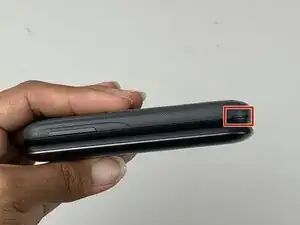
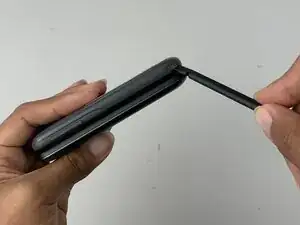
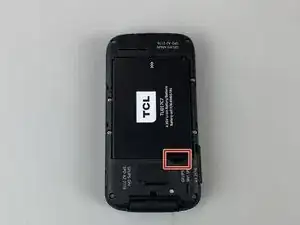
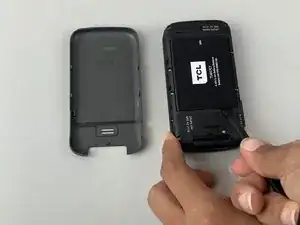
Insert a spudger into the notch on the back cover and gently pry upward until you hear a soft click, indicating the back has begun to separate.
-
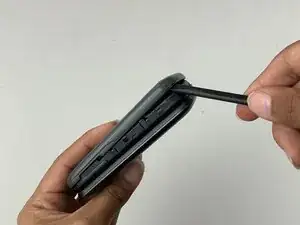
Continue prying around the edges until the cover is fully removed.
-
-
-
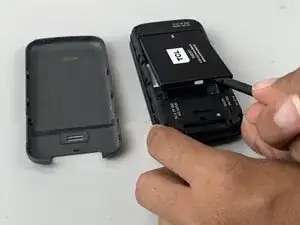
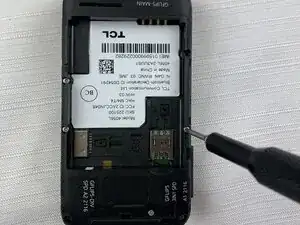
Insert a spudger into the midframe cutout and pry up to release the battery.
-
Remove the battery.
-
-
-
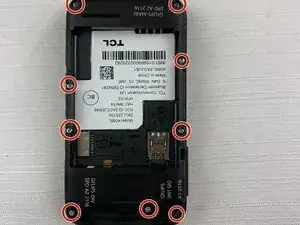
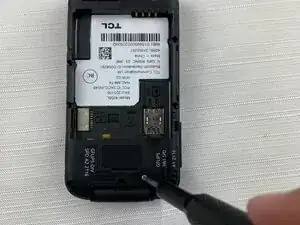
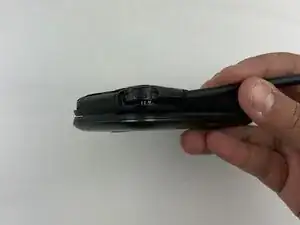
Run the spudger under the midframe to pry it away from the rest of the phone.
-
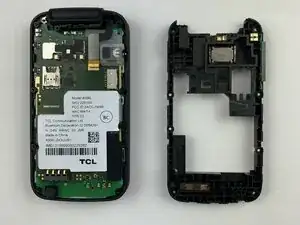
Set the midframe aside.
-
-
-
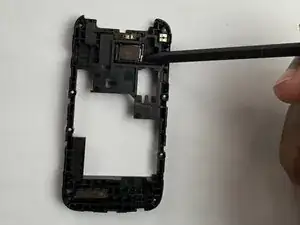
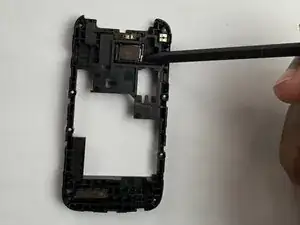
Place the spudger under the speaker in the midframe and pry up.
-
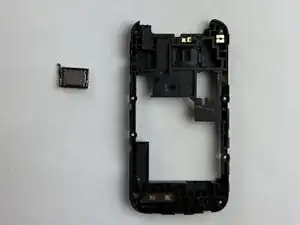
Remove the speaker from the midframe.
-
To reassemble your device, follow these instructions in reverse order.