Introdução
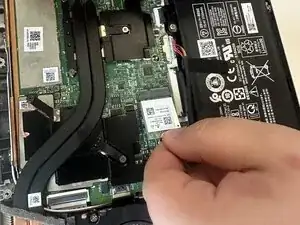
This guide shows how to replace the Wi-Fi card in the Acer Swift X N20C12. The Wi-Fi card is a component that lets the laptop connect to Wi-Fi.
If the laptop is facing frequent connectivity issues no matter what Wi-Fi network you try to connect to, then a replacement might fix the issue.


-
-
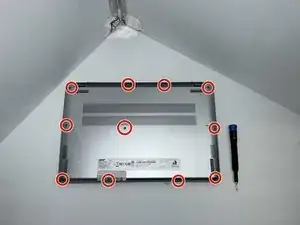
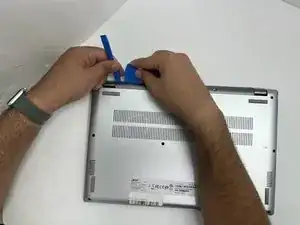
Insert an opening pick in the seam between the lower case and chassis.
-
Slide the pick around the perimeter while prying until the lower case releases.
-
Remove the lower case.
-
-
-
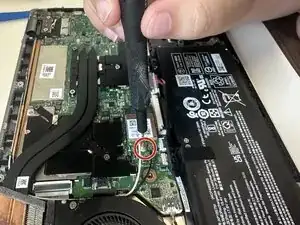
Use the pointed end of a spudger to lift and disconnect the two Wi-Fi card antenna cables.
-
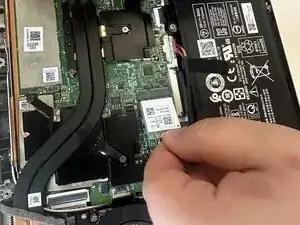
Take the Wi-Fi card out by gently pulling it away from the motherboard connector.
-
To reassemble your device, follow the above steps in reverse order.
Take your e-waste to an R2 or e-Stewards certified recycler.
Repair didn’t go as planned? Try some basic troubleshooting or ask our Answers community for help.