Introdução
This guide will walk you through the steps of replacing a malfunctioning or non-functional fan in an Acer Nitro 5 AN517-51-748R, without removing the heat-spreader from the motherboard. If your laptop is generating excessive heat or noise, especially during resource-intensive activities like gaming, it could be a sign of a fan-related issue.
Ferramentas


Peças
-
-
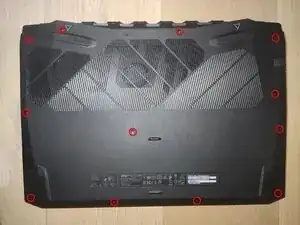
Remove 12 Phillips screws
-
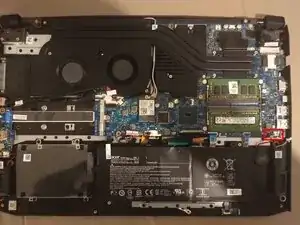
Open the bottom Cover with an Opening Pick
-
Remove the Cover by lifting the bottom first
-
-
-
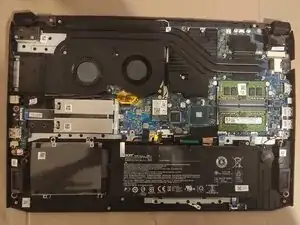
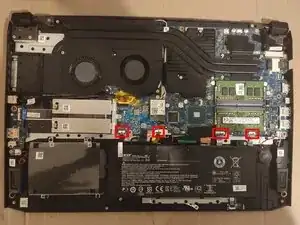
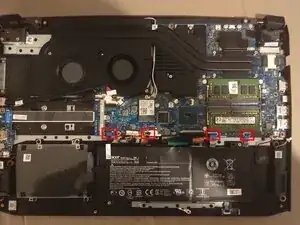
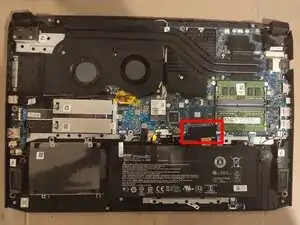
Detach Latch Cables by opening the connectors with an Opening Tool
-
From left to right:
-
Sata cable
-
Keyboard backlight
-
Touchpad
-
Hall Sensor (Lid open/close sensor)
-
-
-
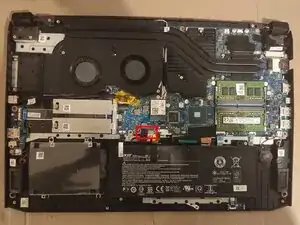
Remove sticker
-
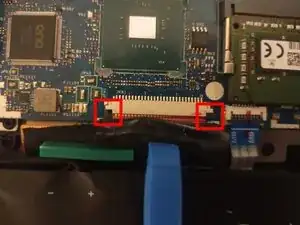
Pull down on the edges of the connector to loosen the cable
-
You can see it open on the left and closed on the right side of the second image
-
-
-
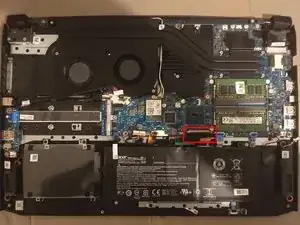
Remove BIOS battery by pulling down on the connector
-
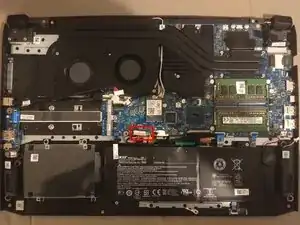
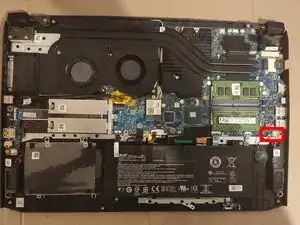
Remove speaker cable by pulling down on the connector
-
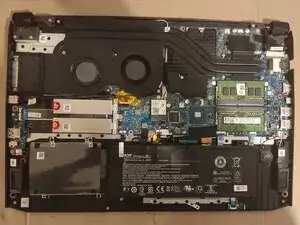
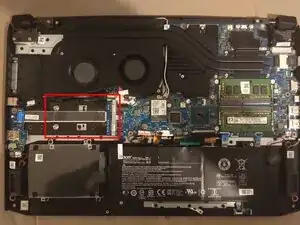
To reassemble your device, follow these instructions in reverse order.
