Introdução
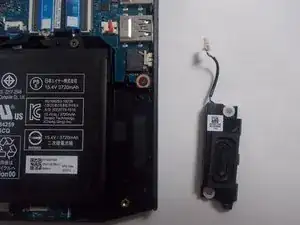
This guide will show you how to replace the speakers in the Acer Nitro 5 AN515-55-55M1 laptop. Faulty speakers can cause issues such as distorted audio, crackling sounds, or complete audio failure. Replacing the speakers restores proper sound output and helps maintain the overall usability of the laptop.
This repair requires removing the bottom cover and disconnecting delicate internal cables, so work slowly and carefully to avoid damaging the motherboard or speaker connectors.
Before beginning, make sure the laptop is completely powered off and disconnected from the charger.
Ferramentas


-
-
Flip the device so the bottom is facing up.
-
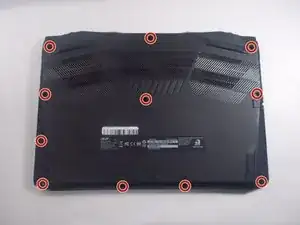
Use a Phillips #1 screwdriver to remove the eleven screws securing the bottom cover.
-
-
-
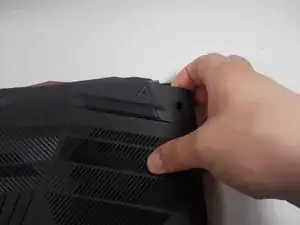
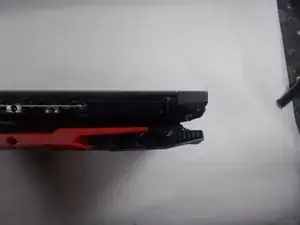
Insert an iFixit opening tool into a gap along one edge of the bottom cover and gently pry upward to release the plastic clips. Work your way around the edges until all clips have released.
-
Lift the bottom cover away from the laptop and set it aside. Lift the top left and right corners up and away from the device.
-
Remove the panel from the laptop.
-
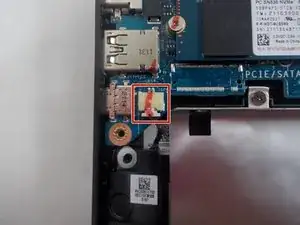
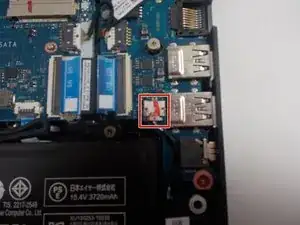
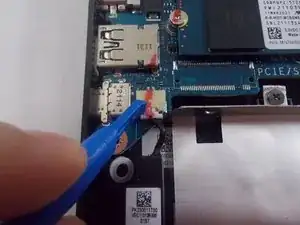
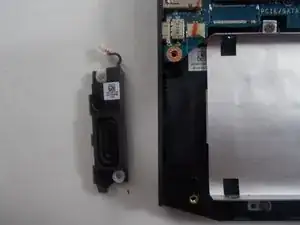
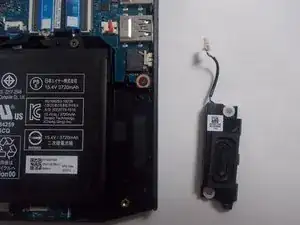
To reassemble your device, follow these instructions in reverse order. Take your e-waste to an R2 or e-Stewards certified recycler.
