Introdução
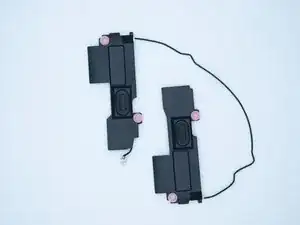
If your Acer Chromebook R841T-S4ZG speakers are muffled and flat sounding, then they might need to be replaced or even cleaned. In this guide, we will show you how to remove the bottom panel and find the speakers in order to fix the problem.
Ferramentas


-
-
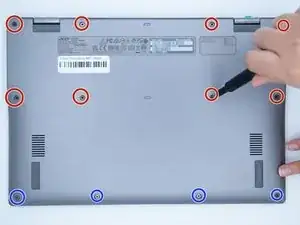
Unscrew the 8 back screws, circled in red. The screws in red are 4.90mm x 5.71mm.
-
The 4 blue screws on the bottom are 4.81mm x 4.6mm.
-
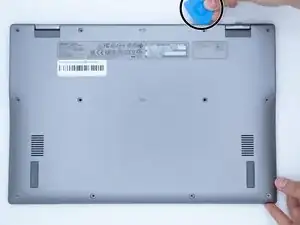
Using an opening pick, unclip the lips that are located around the edges of the device.
-
-
-
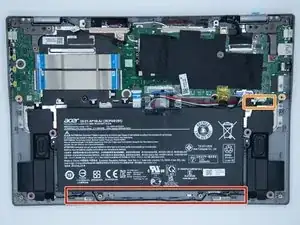
On the inside of the laptop, you find the speakers on the left and right side of the bottom panel.
-
The light grey plastic connector that powers the speakers unplug by gently pulling the clip connector.
-
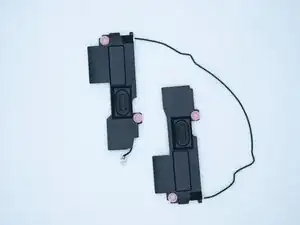
The speakers are connected by a wire at the bottom. Pull the wire and lift the left speaker up.
-
The final speaker should lift up, and the pair is free from the panel.
-
To reassemble your device, follow these instructions in reverse order.
