Introdução

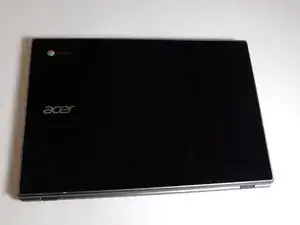
If the back cover of your Acer Chromebook CP5-471-C0EX has physical damage, caused by impact or over use, or has faulty hinges and loose screws, you will need to replace it.

A damaged back cover may result in damage to internal components of the Chromebook.

You will need to take off the bottom of the case in step 3. Proceed with caution as to not damage the case.

Before beginning, make sure your device is powered off and disconnected from any external sources.

  1. rSCuF1GQl2OlhMax
    rSCuF1GQl2OlhMax
    GoZZGTRhsmJLyOIG
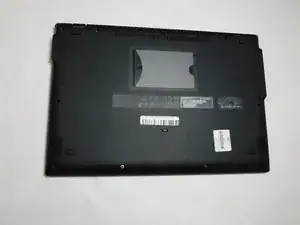
    • Turn off the laptop before starting.

    • Flip the laptop over so the model stickers face the ceiling.

  2. fIHBYLiwrwxjb6Eh
    fIHBYLiwrwxjb6Eh
    Ix4TyH21QpN6LyRu
    BtZaYUIKuMuQQB4n
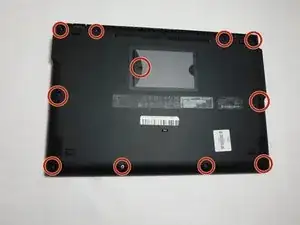
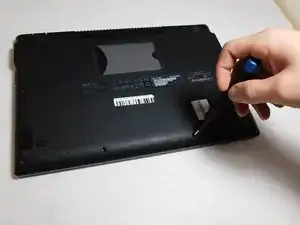
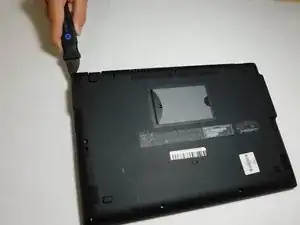
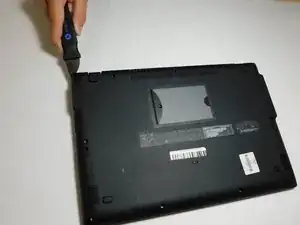
    • Remove twelve 7 mm screws from the back of the laptop using a Phillips #1 screwdriver.

  3. xNVjN1KqKAmPq5CJ
    xNVjN1KqKAmPq5CJ
    iR3MrZFEnIHUpDOB
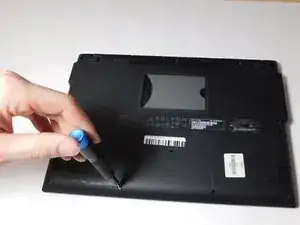
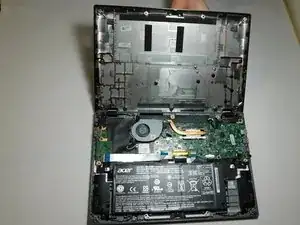
    • Use a Jimmy to pry apart the bottom of the case from the laptop.

    • Be careful not to warp or crack the case.

Conclusão

To reassemble your device, follow these instructions in reverse order.

Kristen Gismondi

Membro desde: 12/11/14

103915 Reputação

0 comentários