Introdução
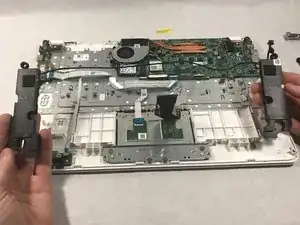
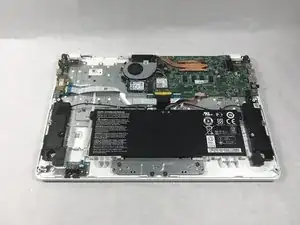
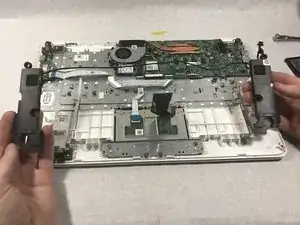
If your Acer Chromebook (model CB5-571-C5XU) isn't producing clear audio–distorted, intermittent, or no sound, use this guide to replace the speakers (also known as speaker modules).
The speaker modules are responsible for audio output and stereo sound, which creates a stereo effect. Faulty speaker modules lead to distorted sound or no sound at all.
Before using this guide, make sure that the sound issue is not software-related by checking the following:
- External audio connection
- Application or website issues
- Operating system issues
- Issues with internal components.
Be sure that you have thoroughly followed the steps of each troubleshooting resolution to the listed software issues on your device to confirm that the issue is faulty speaker modules.
Before beginning, make sure your chromebook is unplugged and shutdown completely to avoid losing files and the risk of electrocution.
Ferramentas


-
-
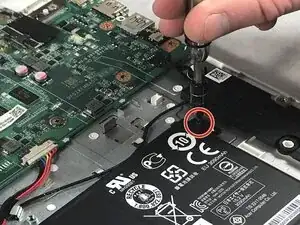
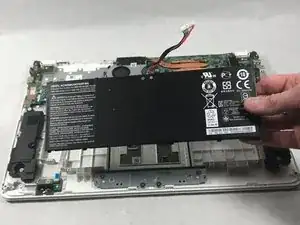
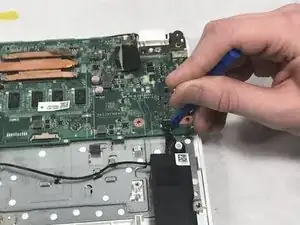
Using a plastic opening tool, disconnect the wires connecting the battery to the motherboard.
-
-
-
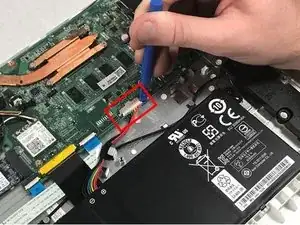
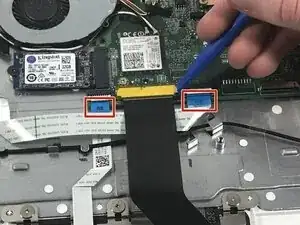
Use the plastic pry tool to unlatch the two tabs on either side of the black ribbon.
-
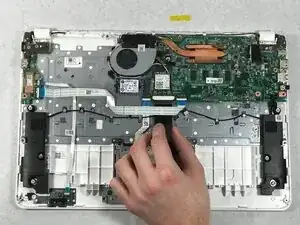
Gently slide the black ribbon out from its socket and under the white ribbon.
-
To reassemble your device, follow these instructions in reverse order.