Introdução
This guide provides step-by-step instructions for replacing the display panel on your Acer Chromebook CB315-4H-P8FZ. You may need to replace the display panel for many reasons, such as a cracked or broken screen, a dim or flickering screen, or reduced pixels.
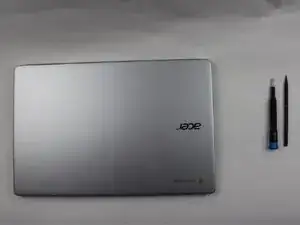
Before you begin the repair, make sure to power off and disconnect your device from the charger and any peripherals.


-
-
For safety, unplug all connected devices and accessories.
-
Discharge the battery below 25% and power down your Chromebook.
-
Close the lid.
-
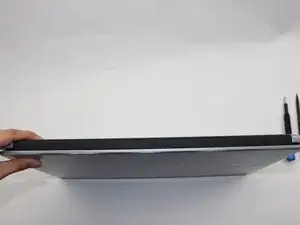
Position the laptop so the hinge, or the part connecting the screen and keyboard, is facing you.
-
-
-
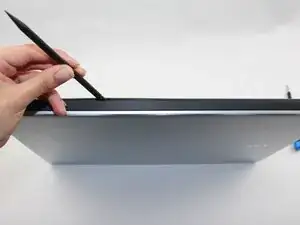
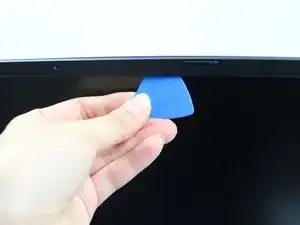
Insert an opening pick into the gap between the screen and the plastic bezel.
-
Gently slide the pick along the edge to separate the two parts.
-
Repeat this process around the entire border of the screen.
-
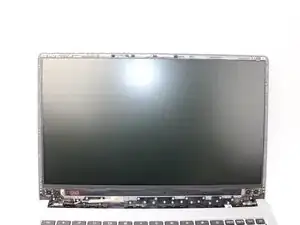
Once loosened, carefully pull off the bezel with your hands.
-
-
-
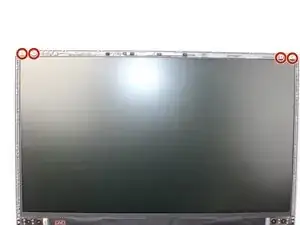
Use the Philips #1 screwdriver to remove the two 5mm screws located in the top corners of the screen.
-
Use the Philips #1 screwdriver to remove the two 5mm screws from the bottom left and right corners of the screen.
-
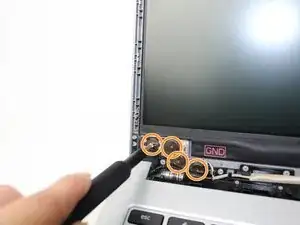
Use the tweezers to remove nuts and washers securing the screen to the hinges.
-
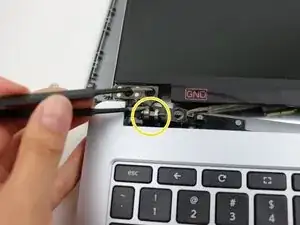
Carefully lift the display panel away from the hinge that connects it to the keyboard.
-
-
-
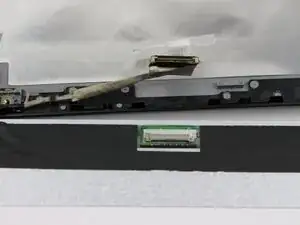
Locate the display cable on the back of the screen.
-
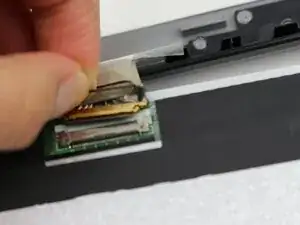
Peel off the tape covering the small metal latch that secures the cable connector.
-
Gently lift the latch using your finger or a spudger to unlock it.
-
While holding the latch, gently pull the cable straight out of the socket.
-
To reassemble your device, follow these instructions in reverse order.
