Introdução
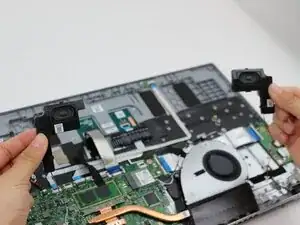
If you notice any unusual sounds or distortion coming from your Acer Aspire 3 A315-24PT-R7VH speakers, then it may be time to replace them.
Check this troubleshooting guide before replacing speakers.


Peças
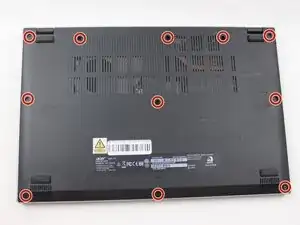
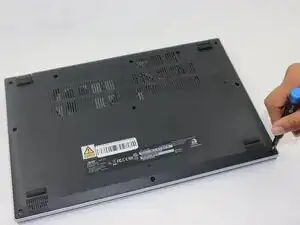
-
-
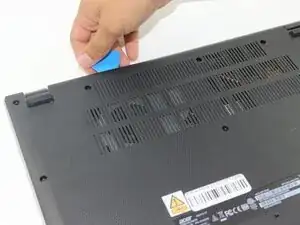
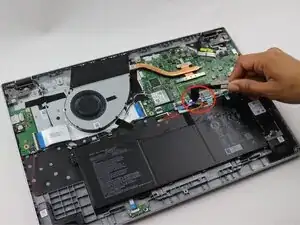
Insert an opening pick in the seam between the chassis and the lower case.
-
Slide the opening pick around the entire perimeter, prying every couple of centimeters, to release all of the retaining clips that secure the lower case.
-
Remove the lower case.
-
-
-
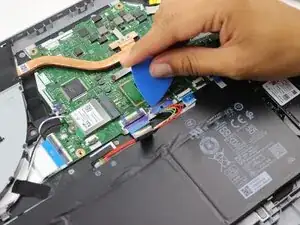
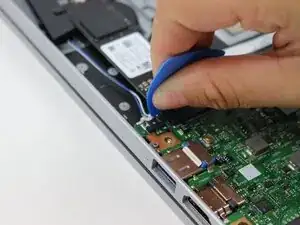
Use an opening pick or the flat end of a spudger to gently push the battery connector out of its motherboard socket.
-
-
-
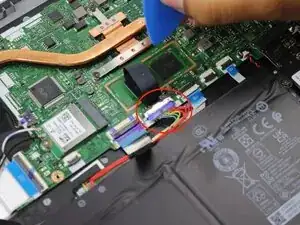
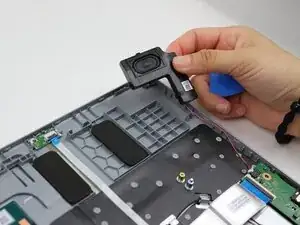
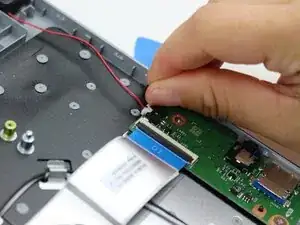
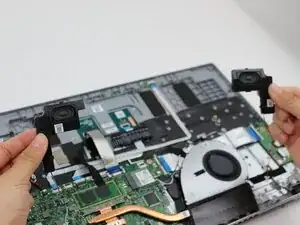
Use an opening pick or your fingernails to gently push each of the two speaker connectors out of their sockets.
-
To reassemble your device, follow the above steps in reverse order.
Take your e-waste to an R2 or e-Stewards certified recycler.
Repair didn’t go as planned? Try some basic troubleshooting or ask our Answers community for help.