Introdução

If you are looking to replace the motherboard of your ATT Trimline 210M, this guide will explain in detail how to do so yourself. Keep in mind through this process that the motherboard must be handled with care, as the wires attached to it help run the whole phone.

  1. ckMWxUpZyiMq1Kne
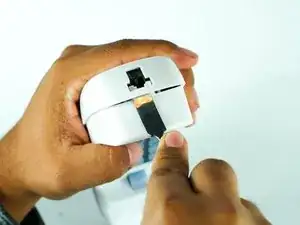
    • Open up the phone with a metal spudger, sticking it in the bottom near the cord jack entry.

    • Be careful with the amount of force you use, or the plastic may crack.

  2. OTLv1Kc3pDp6AiAh
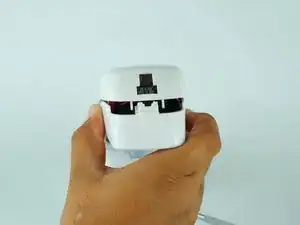
    • Pull up on the spudger while simultaneously pulling up the top shell of the phone.

  3. ERKlO5mXiFNADLIH
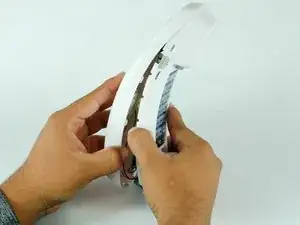
    • After unclipping the bottom half of the shell, pull upward from the position shown in the picture to detach the top half of the shell.

    • The cord connecting the speaker is short, and may detach if not done carefully.

  4. smTXrO2gkN5D6psI
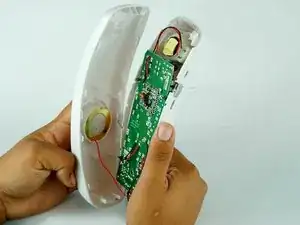
    • You will have the motherboard and speaker exposed to you.

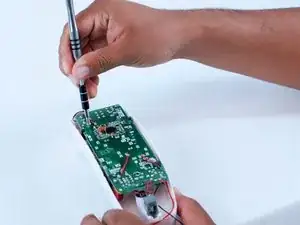
  5. 5xNFXnAEt6VNyPud
    • Remove the two 10 mm screws using the 1/4" driver and a J1 Phillips screw head.

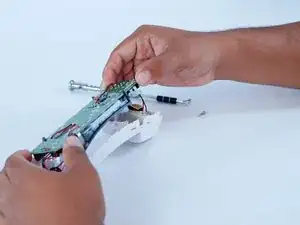
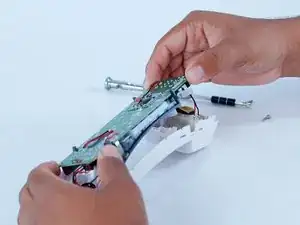
  6. SSZWTCUDOknvKCF3
    • Carefully move the motherboard up to remove it.

Conclusão

To reassemble your device, follow these instructions in reverse order.

Juan Carrillo

Membro desde: 10/02/16

406 Reputação

0 comentários