Introdução
This guide will show you how to replace the driver-side 22-inch windshield wiper blade on a 2017 Toyota Tacoma. If your wiper is streaking, skipping, or not clearing the glass, installing a new blade will improve your visibility and make driving safer. This repair is quick, requires no special tools, and can easily be done at home. Be careful when lifting and lowering the wiper arm so it doesn’t snap back onto the windshield.
-
-
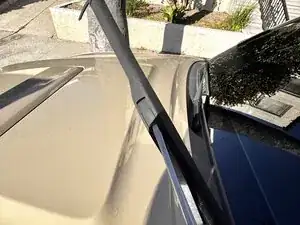
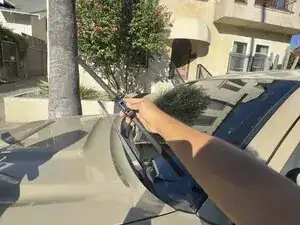
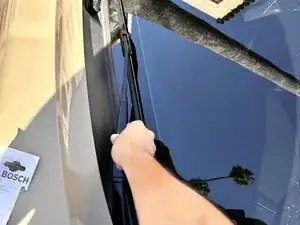
Lift the driver side wiper arm away from the windshield until it locks into the upright position.
-
-
-
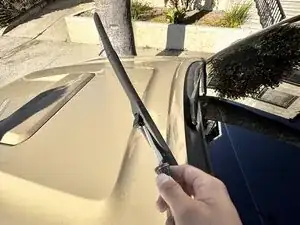
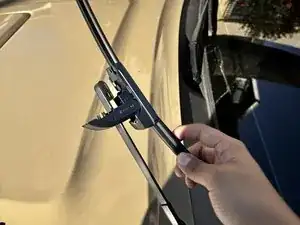
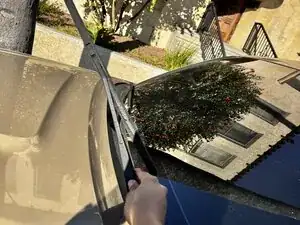
Press the small release tab where the wiper blade connects to the wiper arm.
-
While holding the release tab, slide the wiper blade downward toward the base of the arm to disconnect it from the hook.
-
-
-
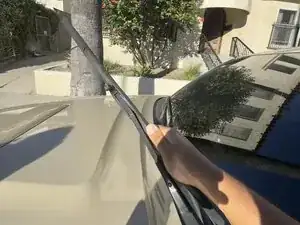
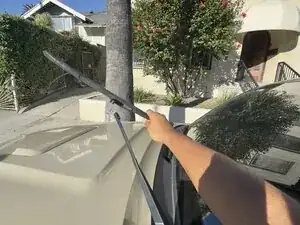
Pull the old blade completely off the wiper arm and set it aside. Make sure the arm does not fall back onto the windshield.
-
-
-
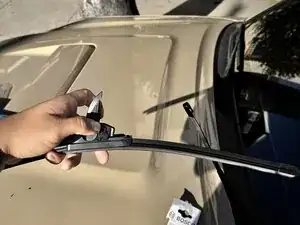
Take the new 22-inch wiper blade and line up its connector with the hook on the wiper arm. Make sure it’s facing the correct direction.
-
-
-
Align the new blade so the connector sits directly under the hook. You should see the locking tab on the new blade.
-
-
-
Slide the new wiper blade upward into the hook until it clicks securely into place. Tug gently on the blade to make sure it’s locked in.
-
-
-
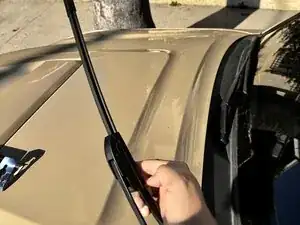
Make sure the new blade sits straight and is properly seated in the connector. Adjust it if needed.
-
-
-
Carefully lower the wiper arm back onto the windshield. The repair is now complete and the new wiper is ready for use.
-