Introdução
-
-
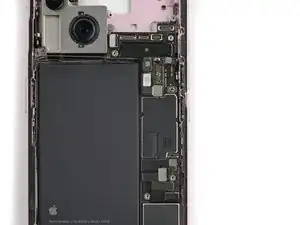
Slide the logic board into its slot in the frame, making sure the nine press connectors are above the logic board.
-
-
-
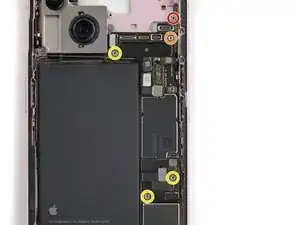
Use your standoff driver to install the five standoff screws securing the logic board:
-
One 2.9 mm‑long screw
-
One 3.9 mm‑long screw
-
Three 3.5 mm‑long screws
-
-
-
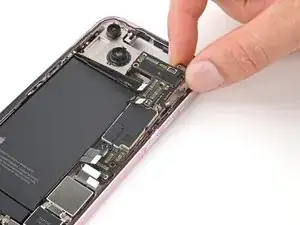
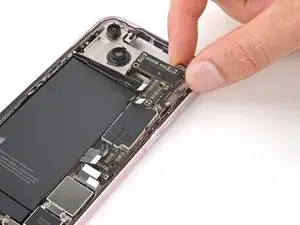
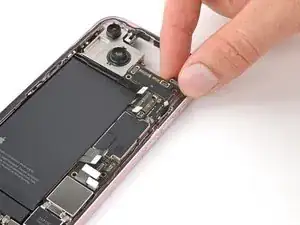
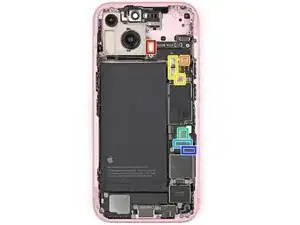
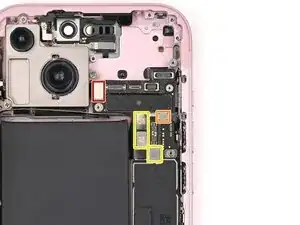
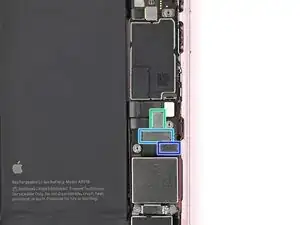
Use your spudger or your fingers to connect the eight press connectors:
-
The power button
-
The volume button
-
The rear cameras and antenna (three connectors in total)
-
The eSIM
-
The Taptic Engine
-
The charging port
-
Conclusão
To reassemble your device, follow these instructions in reverse order.
