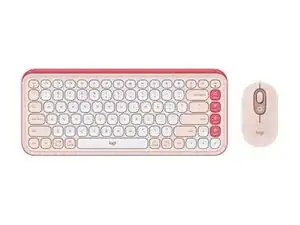
Background
The Wireless Wave Combo MK550 is a full-size ergonomic keyboard and sculpted wireless mouse bundle designed for comfortable, day‑long typing. The keyboard features Logitech’s wave-shaped key layout and an integrated cushioned palm rest made from durable ABS plastic and soft-touch materials for improved ergonomics. The combo uses a compact USB wireless receiver for 2.4 GHz connectivity and emphasizes long battery life and plug-and-play simplicity. Key features include the sculpted mouse, contoured keycaps, and a spill‑resistant, durable construction.
Identification
The Logitech WIRELESS WAVE COMBO MK550 includes Keyboard (M/N Y-R0053), Mouse (M/N MR0108) and USB receiver (M/N C-U0007). Model labels are located as follows — Keyboard: on the underside product label; Mouse: on the underside product label; USB Receiver: printed on the flat face or side of the receiver housing near the USB plug. Each component carries its own model (M/N) and serial (S/N) identifiers.
Specifications
- Model: Wireless Wave Combo MK550 (keyboard + mouse bundle)
- Form Factor: Full-size ergonomic wave-shaped keyboard with integrated cushioned palm rest; sculpted right-handed mouse
- Switch Type: Membrane (rubber dome) key switches — manufacturer: Logitech (rubber-dome membrane design)
- Connectivity: 2.4 GHz wireless via compact USB nano receiver (plug-and-play)
- Receiver: Compact USB nano receiver included (manufacturer/part number printed on receiver or packaging)
- Power: User-replaceable alkaline batteries for keyboard and mouse (check product label for exact cell counts and types)
- Mouse Sensor: Optical tracking sensor (Logitech-designed) for general desktop use
- Materials: Durable ABS plastic chassis with soft-touch palm rest cushioning and spill-resistant key deck
- Backlighting: None (non-backlit keys)
- Compatibility: Compatible with Windows and macOS for basic keyboard/mouse functions; full feature support via Logitech software where available
- Included Components: Wireless wave keyboard, sculpted wireless mouse, USB nano receiver, user documentation
Troubleshooting
Common faults include loss of wireless connectivity, dead/weak batteries, and unresponsive keys caused by debris or liquid ingress. Diagnose by swapping fresh batteries, reseating/replacing the USB receiver, testing on another PC, and inspecting the keyboard underside for loose connectors or visible damage; use a multimeter to check battery voltage and continuity of power rails for repairable boards.
For additional troubleshooting help, visit: Visit https://support.logi.com and search for MK550 for help articles and contact options.
Additional Information
Warranty Info
Refer to Logitech warranty information linked on the support site; warranty terms vary by region and retailer.