Background
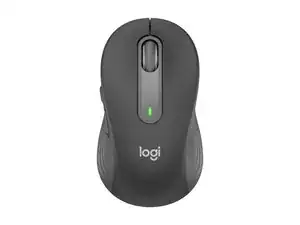
The Logitech Signature M650 For Business is an office-focused wireless mouse designed for comfort, quiet operation, and enterprise deployment. It uses durable materials including a textured plastic shell and reinforced seams intended for long daily use, with a rubberized scroll wheel for reliable control. Key features include quiet (silent) primary switches, dual-mode wireless connectivity (Bluetooth Low Energy and Logi Bolt USB receiver), and an ergonomic, right-handed sculpted shape optimized for productivity.
Identification
The Logitech Signature M650 For Business can be identified by the model number (M/N CU0021). The model label is on the underside and a product label in the battery compartment. This label lists the model (M/N), part (P/N), and serial (S/N) numbers.
Specifications
- Form Factor: Right-handed ergonomic office mouse
- Connectivity: Bluetooth Low Energy and Logi Bolt USB receiver (Logi Bolt compatible) / 2.4 GHz wireless via receiver
- Sensor: Logitech high-precision optical sensor (up to 4000 DPI, adjustable via software)
- Buttons: 5 buttons (Left, Right, Middle/Scroll, Back, Forward) with programmable functions via Logi Options+
- Primary Switches: Logitech proprietary SilentTouch switches (manufacturer not separately specified; designed for reduced click noise)
- Scroll Wheel: Rubberized notched scroll wheel with middle-click (quiet operation)
- Power: 1 × AA battery (user-replaceable), rated for up to ~24 months depending on usage and connection mode
- Receiver Model: Logi Bolt USB receiver (model varies; common Logi Bolt receiver M/N C-U0016 for business devices)
- Dimensions: Typical office mouse dimensions (compact ergonomic profile; exact dimensions printed on product label)
- Weight: Lightweight office class wireless mouse (battery installed) — manufacturer specification on product label
- Compatibility: Windows, macOS, and major Linux distributions; configurable with Logi Options+ software
Troubleshooting
Common repair-relevant faults include intermittent connectivity, unresponsive primary buttons, and scroll-wheel sticking. Diagnose by checking/replacing the AA battery and receiver, re-pairing via Bluetooth or Logi Bolt, testing the mouse on another computer, and inspecting the scroll wheel and switches for debris or physical damage.
For additional troubleshooting help, visit: Visit https://support.logi.com for drivers, enterprise deployment guides, and Logi Options+ downloads.
Additional Information
Warranty Info
Standard Logitech limited hardware warranty (varies by region; typically 1–2 years). Check support.logi.com for regional warranty details.