Background
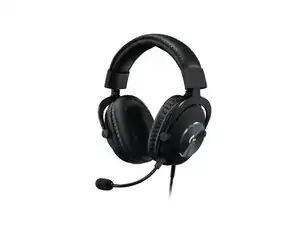
The PRO X SE Wired Gaming Headset is a wired, over-ear gaming headset from Logitech G designed for competitive and streaming use. It features PRO-G 50 mm drivers and 7.1 surround sound support for positional audio and immersive gameplay, plus BLUE VO!CE microphone processing for clearer voice communications via Logitech G HUB. The headset is marketed as "built to last" and constructed with durable materials suitable for regular gaming use. Key features include professional-grade drivers, software-enabled mic filters, and a detachable/adjustable microphone system.
Identification
The Logitech PRO X SE Wired Gaming Headset includes Charging case (M/N A00102) and USB receiver (M/N A00101). Model labels are located as follows — Charging Case: on the underside product label; USB Receiver: printed on the flat face or side of the receiver housing near the USB plug. Each component carries its own model (M/N) and serial (S/N) identifiers.
Specifications
- Form Factor: Over-ear wired gaming headset
- Drivers: PRO-G 50 mm drivers
- Surround Sound: 7.1 surround sound (software-enabled via Logitech G HUB)
- Microphone: BLUE VO!CE microphone technology (software-processed; detachable microphone assembly)
- Connectivity: Wired (USB/analog wired headset — wired connectivity per product listing)
- Materials: Built to last — durable construction (metal and reinforced components indicated by product marketing)
- Model / SKU / MPN: PRO X SE - Black; SKU 981-001469; MPN 981-001469
- Compatibility / Software: Compatible with Logitech G HUB for BLUE VO!CE and 7.1 configuration
- Color: Black (product model: PRO X SE - Black)
- Environmental: Estimated carbon footprint: 9.07 kg CO2e (listed on product page)
Troubleshooting
Common repair-relevant faults include no audio, intermittent sound, or mic failure usually caused by cable/connector damage, driver failure, or configuration issues. Diagnose by testing the headset on a second device, inspecting the cable and connector for visible damage, testing the mic in Logitech G HUB/OS audio settings, and performing continuity checks on the cable if accessible.
For additional troubleshooting help, visit: Visit https://support.logi.com for support articles, contact options, and product registration.
Additional Information
Warranty Info
Limited hardware warranty — check Logitech warranty page for region-specific terms.