Background
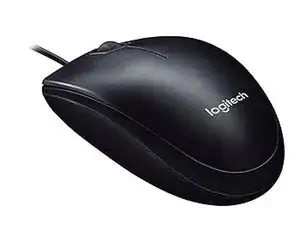
The Logitech M90 is an entry-level, full-size wired optical mouse designed for straightforward plug-and-play use. It features high-definition optical tracking (1000 DPI) and an ambidextrous shape for comfort with either hand. The M90 uses a durable ABS plastic housing and a flexible USB cable designed for everyday desktop use. Key features include simple three-button operation (left/right/scroll), no required software for basic operation, and Logitech's "Optimal Tracking Technology" for reliable cursor control.
Identification
The Logitech M90 can be identified by the model number (M/N M-U0026). The model label is on the bottom housing. This label lists the model (M/N), part (P/N), and serial (S/N) numbers.
Specifications
- Form Factor: Full-size, ambidextrous
- Connectivity: Wired USB (A)
- Sensor Type: Optical
- Tracking / DPI: High-definition optical tracking, 1000 DPI
- Buttons: 3 (Left, Right, Scroll/Click)
- Switches: Not specified by Logitech (manufacturer/model not listed on product page; similar Logitech entry-level mice commonly use Omron switches)
- Cable: Fixed USB cable (length not specified by manufacturer)
- Power: Bus-powered via USB (no battery)
- Software / Customization: Plug-and-play; legacy SetPoint/Logitech software available for customizing on some systems (software downloads available on Logitech support)
- Compatibility: Windows and macOS (plug-and-play; software optional)
Troubleshooting
Common repair-relevant faults include an unresponsive cursor or intermittent tracking (often caused by a dirty sensor or damaged cable), and faulty click behavior/double-clicking due to worn switches. Diagnose by testing on multiple USB ports/computers, inspecting the cable for visible damage, cleaning the optical sensor area, and opening the shell to check solder joints and switch contacts; replace switches or re-solder connections as needed.
For additional troubleshooting help, visit: Logitech Support: https://support.logi.com — product downloads and contact options are available on the Logitech support site.
Additional Information
Warranty Info
Logitech limited hardware warranty (typically 1 year; terms vary by region). See Logitech support/warranty pages for region-specific details.