Background
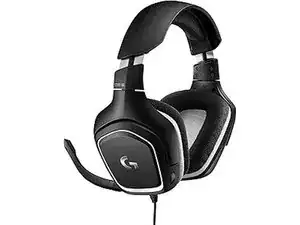
The G332 SE is a wired stereo gaming headset sold under the Logitech G sub-brand, designed for entry-level gaming and multi-platform compatibility. It uses durable materials—an impact-resistant plastic shell with a metal-reinforced adjustable headband—to withstand regular use. Key features include a stereo audio profile, a boom microphone for voice chat, and a simple wired connection that prioritizes low-latency audio. Logitech publishes limited downloadable resources for this model on its support site, and the unit is listed with model number M/N A-00090.
Identification
The Logitech G332 SE can be identified by the model number (M/N A00090). The model label is on the product label. This label lists the model (M/N), part (P/N), and serial (S/N) numbers.
Specifications
- Form Factor: Over-ear wired stereo gaming headset
- Model Number: M/N A-00090 (G332 Stereo Gaming Headset)
- Manufacturer: Logitech (Logitech G series)
- Connectivity: Wired analog (3.5 mm) — standard for G332 series (confirm with retail packaging)
- Driver Size: 50 mm drivers (commonly cited in retailer listings; not detailed on Logitech support page)
- Frequency Response: Not specified by Logitech support; retailer listings commonly state 20 Hz – 20 kHz
- Microphone: Boom microphone (cardioid/unidirectional commonly listed by retailers; consult product packaging for exact spec)
- Impedance: Not specified by Logitech support for this model
- Cable and Connector: Integrated cable with 3.5 mm connector; retailers sometimes include a PC splitter adapter (verify on retail packaging)
- Weight: Not specified on Logitech support page
- Compatibility: PC, consoles, and mobile devices with 3.5 mm audio in (platform compatibility listed by retailers)
- Regulatory / Part Numbers: Manufacturer part number: M/N A-00090; refer to retail SKU for region-specific model variants
Troubleshooting
Common repair-relevant faults include broken/shorted audio cables, intermittent left/right audio, worn ear pads, and boom microphone failure. Diagnose by testing with multiple devices and cables, performing a wiggle test along cable and connector, inspecting and replacing ear cushions, and checking mic continuity or mute switch function.
For additional troubleshooting help, visit: Visit Logitech Support (support.logi.com) and search for G332 / M/N A-00090 for warranty, troubleshooting articles, and contact options.
Additional Information
Warranty Info
Region-dependent limited hardware warranty — consult Logitech support or your retailer for warranty length and claim procedures.