Background
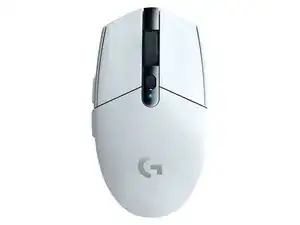
The Logitech G305 LIGHTSPEED is a compact, wireless gaming mouse built for low-latency performance and long battery life. It features Logitech LIGHTSPEED 2.4 GHz wireless connectivity and a high-efficiency optical sensor for accurate tracking. The shell is made from durable ABS plastic with reinforced internals and skid-resistant PTFE feet for long-term use. Key features include programmable buttons, a removable USB receiver, and an easily replaceable single-AA power source.
Identification
The Logitech G305 LIGHTSPEED Wireless Gaming Mouse includes Mouse (M/N M-R0071) and USB receiver (M/N CU0027). Model labels are located as follows — Mouse: on the underside product label; USB Receiver: printed on the flat face or side of the receiver housing near the USB plug. Each component carries its own model (M/N) and serial (S/N) identifiers.
Specifications
- Form Factor: Compact, right-handed-friendly (symmetrical profile)
- Sensor: HERO (High Efficiency Rated Optical) sensor (Logitech proprietary) — support page references LIGHTSPEED product family
- Maximum DPI: Up to 12,000 DPI (HERO sensor variable sensitivity)
- Primary Switches: Mechanical click switches (manufacturer commonly reported as Omron in community teardowns; exact model not specified on support page)
- Connectivity: LIGHTSPEED 2.4 GHz wireless (USB receiver) — low-latency wireless
- Wireless Receiver Model: Removable LIGHTSPEED USB receiver (model number not specified on support page)
- Polling Rate: Up to 1000 Hz (typical for LIGHTSPEED devices; exact value not specified on support page)
- Power: 1 × AA battery (user-replaceable); quoted long battery life in marketing/support materials
- Buttons: 6 programmable buttons (left/right primary, scroll click, two side buttons, DPI button)
- Dimensions & Weight: Compact footprint with lightweight design; weight varies with battery (exact dimensions/weight not specified on support page)
Troubleshooting
Common repair-relevant faults include failing click switches (double-click or no-click), intermittent wireless connection, and scroll-wheel issues. Diagnose by testing with a fresh AA battery and re-pairing the LIGHTSPEED receiver, swapping left/right switch operation to isolate a faulty microswitch, and inspecting/cleaning scroll-wheel encoder and battery contacts.
For additional troubleshooting help, visit: Visit support.logi.com (Logitech Support) for product support, downloads, and contact options.
Additional Information
Warranty Info
Warranty varies by region; see Logitech Warranty information on the support site for terms (region-dependent, typically 1–2 years).